Free template + guide
Free content mapping template: plan content by persona and stage
This free content mapping template helps marketing teams plan what to publish for each buyer persona (a profile of one type of customer) at each stage of the buying journey. It's an editable Word file with 3 persona sheets and a content map for each, plus a 15-page PDF guide.
- 3 persona sheets
Background, preferred channels, goals, challenges and the objections that stall a sale.
- A content map per persona
The persona's main problem on the left, with awareness, consideration and decision across the top.
- A 15-page crash course
Buyer personas and lifecycle stages (where someone is in the buying cycle), plus a template key and a filled example.
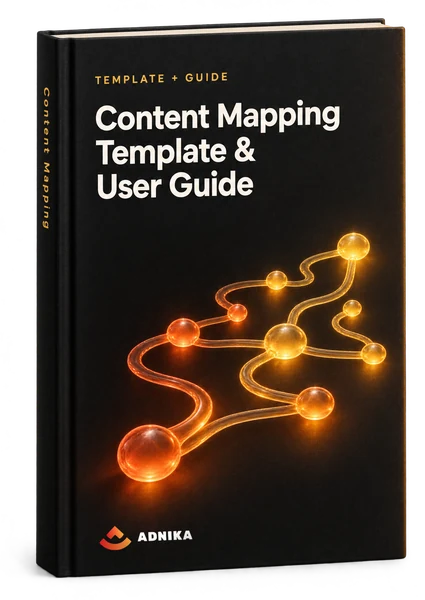
Get the content mapping template
Your template is ready
The ZIP holds the Word template and the PDF guide. Read the template key on page 14 of the guide, then open the Word file.
Download Content Mapping TemplateA copy is on its way to your inbox too.
What's inside
What's inside the free content mapping template
A ZIP with 2 files: a PDF crash course and a Word template. Read chapter 2 of the guide (pages 11 to 15) first; it explains the grid.
Worth knowing: it's a Word file, not an Excel spreadsheet, and the grid stops at the decision stage. The guide below shows how to stretch this content map template further.
Crash course: buyer personas (PDF)
Chapter 1 opens with personas (pages 5 to 7): a profile of your ideal customer, partly imagined but built on research and real customer insight. 7 questions help you write one (pain points and objections among them), and the guide suggests starting with 1 to 3.
Crash course: lifecycle stages (PDF)
Pages 8 to 10 define each stage of the buying cycle the template uses (awareness, consideration and decision) through a shoe shopper's story. Stages vary with the products or services you sell: the awareness stage can last hours for clothing or weeks for software.
Template key and filled example (PDF)
Chapter 2 shows the grid's layout: persona and main problem down the side, stages across the top (rename them if your sales team uses other words). A 4-step key explains every box, and a filled example shows a finished map.
3 persona sheets (Word)
Each has 6 rows: name, background and demographics, identifiers (preferred channels and where they spend time), goals, challenges and common objections. Fill these first. The objections row tells you what your decision-stage content has to answer.
3 content maps (Word)
A grid per persona, with the name and core problem on the left and 3 stage columns, each defined in a line, with a box for content ideas. Fill all 3 and you'll see which persona, at which stage, has nothing yet.
How to use it
How to create a content map in 4 steps
Start from audience needs, not formats. Begin with formats and you get a list of blog topics that answers nobody's actual question (we've seen plenty).
Write up 1 to 3 personas
Fill the Word file's persona sheets from evidence, not memory: sales call notes, support tickets, customer interviews, reviews. Product marketing often has good notes too. Selling to companies? Several people sign off, so pick the 1 or 2 roles whose questions decide the deal.
- Start with the persona behind most sales
- Quote objections word for word
List the questions at each stage
Write down what each persona asks at each stage, in your audience's own words. Awareness questions describe a symptom ('why do our projects keep running over?'). Consideration questions compare fixes. Decision questions are about you: price, setup, proof. Keyword research tools such as Semrush fill the gaps.
- Symptom, then solution, then supplier
- Keep the buyer's wording
Place what you have, then fill the gaps
Content audit first: put each piece of content you've already published in the cell it really serves (be strict: a post written for every stage helps none). Then run a brainstorming session for the empty cells. Write each idea as the answer to a single question, with its format and channel in brackets: (blog post), (webinar), (email).
- 1 cell per existing piece
- Format and channel in brackets
Prioritise, schedule, review
You'll have more ideas than time, and creating and distributing content costs money. Start with the gaps closest to a sale. Move them into your content calendar with an owner and a date so your content creators know what's due, then review the map every quarter.
- Decision-stage gaps first
- A review every quarter
Content mapping guide
Getting more from a content map template
The template gives you the grid. These notes cover what it leaves out.
What is content mapping
Content mapping is planning content around who's reading and how close they are to buying. You define your buyer personas and their stages (usually awareness, consideration and decision), then decide what each needs at each stage; a content mapping template is the blank grid. The benefits of content mapping are practical rather than glamorous: a structured way to match content to specific buyers, and much less guesswork.
Content map vs concept map and customer journey map
A content map plans what to publish for each buyer and stage. A concept map template is something else: a bubble-and-arrow diagram for linking ideas, used mostly in education (it's what free concept map templates from design tools offer). A customer journey map records what a customer does, thinks and feels at each step, and a content map assigns content to those journey stages. A content calendar just sets dates.
Buyer's journey stages, including after the sale
Most models, this template included, use 3 stages: awareness, consideration and decision. Rename the funnel stages to suit your sales team, then add a fourth column for existing customers. Why? In the Content Marketing Institute's 2025 research among B2B (business-to-business) marketers, 74% said content marketing helped generate demand and leads, 62% that it nurtured audiences and leads, 52% that it grew loyalty with existing customers and 49% that it helped generate sales. Most maps leave loyalty blank.
Content map example
In this illustrative example, a B2B SaaS firm (business software sold by subscription) sells project management software to engineering consultancies of 20 to 80 staff. The persona is a practice manager whose projects keep running over budget. Awareness: a blog post on why fixed-fee projects overrun. Consideration: a spreadsheets-versus-software guide and a 30-minute demo webinar. Decision: a pricing page that answers the per-user question, and a week 1 setup email. After the sale: onboarding videos. That's 6 pieces, and only 1 is a blog post.
Content gap analysis: persona by stage
Count the pieces in each cell and the content gaps show themselves. Most first maps we see are crowded at the top of the buying funnel and thin at the decision stage, since blog content is easier to commission than a comparison page. Score each gap 1 to 3 for impact (closeness to revenue) and 1 to 3 for effort; high impact, low effort goes first. Do 2 personas share a gap? A single piece may cover both.
Website content mapping
Map your existing pages before you plan new content. HubSpot's 2025 State of Sales report found 96% of prospects do their own research before speaking to a sales rep, so your website does much of the early selling. Blog posts and guides mostly catch people in awareness. Product and comparison pages do the consideration work, and pricing and case studies carry the decision. Each page needs a next step, or readers stall right where conversion should happen.
Mapping content for AI search
Mapping content for AI search starts with the questions buyers put to artificial intelligence (AI) assistants, longer and more specific than anything typed into search engines. And buyers arrive later: in HubSpot's 2026 State of Marketing report, nearly 70% of marketers said leads reach them later in the buying process because buyers have done more AI-assisted research. Add a question column in the buyer's words, and make your content easy to quote, with a short answer at the top of each piece.
Read moreBilingual and multi-market content maps
Selling in 2 languages? Add Language and Market columns instead of copying the whole map. Arabic and English in the Gulf, or Swedish and English in the Nordics, are common pairs. Translate pieces where accuracy matters most, like pricing and terms. Localise the rest, awareness content first, because the questions themselves change by market, so collect them in each language. The best channels can differ too.
Measuring whether your content map works
Judge the map by movement between stages, not page views. Awareness pieces should drive traffic; decision pieces should bring enquiries. Assisted conversions (pages seen before a conversion, though not the last click) and lifecycle stage changes in your CRM, the system holding your contacts and deals, show which marketing efforts move people along. A good map also passes this test: sales can find the right content for any prospect without asking. That's sales enablement working.
Read moreCommon content mapping mistakes
Mapping topics instead of questions is the big one: it means creating content that answers nobody in particular. Close behind come too many personas too soon (the guide suggests 1 to 3), a map that's all awareness, and ideas with no format or owner. Some teams treat stages as fixed, yet buyers skip awareness when, say, a manager hands them 3 suppliers to compare. And the quiet one? Nobody reopens the map.
Adapting the content map template for B2B, B2C and team size
In B2B, a buying committee decides: the user, the budget holder, often IT or procurement. Give the 2 most influential a persona each, and expect a long consideration phase and a crowded decision-making phase. B2C journeys run shorter, so product pages, reviews and emails do more work. A solo marketer should map a single persona and start at the decision stage; larger marketing teams need an owner and status on every cell.
Read moreWork with us
Help with your content marketing
The template is enough for a first map. If content creation is the hard part, or you lack content marketers, this is where Adnika comes in.
- 01
Content marketing
We build the map with you from sales and customer insight, then write the pieces it calls for.
- 02
SEO content
We match each cell to what your buyers search for and ask AI, then write pages that earn search visibility.
- 03
Marketing automation
We connect the map to lifecycle stages in your CRM, so each contact gets the piece for the stage they've reached.
FAQ
Questions about the content mapping template
Quick answers about content maps and this download.
Pick 1 to 3 buyer personas and list the questions each one asks at the awareness, consideration and decision stages. Map content you already have into the matching cells, fill the empty ones with new ideas, and review the map every quarter.
Versions differ, but a common 7-step version runs: set a goal, build personas from research, define the stages, list the touchpoints (every place a buyer meets your brand), note what buyers think and feel at each, find the friction, then fix it and review.
The classic model has 3. Awareness is when the buyer notices a problem; by consideration they've named it and are comparing fixes; decision means choosing a solution and a supplier. Plenty of teams add onboarding, retention and advocacy after the sale.
Most 5-stage models run awareness, consideration, purchase, retention and advocacy. The first 3 match this template's columns. The last 2 happen after someone buys, which is why we'd add an after-the-sale column to any content map.
Picture a table: stages across the top, rows for what the customer does, thinks and feels, and the touchpoints they use. The PDF here follows a man replacing worn work shoes, from first search to purchase. A content map adds the content for each step.
There's no official list, but 7 content types cover most maps: blog posts, video, guides and ebooks, case studies, webinars, email and social posts. Pick by how buyers use content at each stage, saving proof such as return on investment (ROI) figures for the decision stage.
A row per buyer persona with their main pain point, a column per buying stage and room for content ideas with a format and channel. This one has that, plus 3 persona sheets. Later, add the buyer's question, a target keyword, an owner and a review date.
Yes. Fill in the form on this page (first name, last name, email, company, phone and country) and a download button for the ZIP appears straight away. Inside are the Word template, which also opens in Google Docs, and the 15-page PDF guide.
Start with 1 to 3: the personas behind most of your sales. The PDF guide says the same, and the Word file has room for 3. Each extra persona adds a full row of content, so add more once the first maps are filled.
Every quarter, and sooner after a big change: a new product or market, a shift in your broader content strategy, or sales hearing the same new objection week after week. At each review, mark pieces to keep, update or retire.
No questions match — try another search.
More free templates
More free templates for content marketing planning
A content map works best next to a plan and a calendar. These download the same way.
 Template
Social Media Content Calendar
An Excel calendar for planning posts on X (Twitter), Facebook, LinkedIn, Instagram and Pinterest, with a monthly planner, a posting schedule and a content library.Get the free template Kit
Kit10 Social Media Templates
Ten social media templates: an audit, a report deck, an editorial calendar, post logs, a paid social budget, a proposal, hashtag holidays, image sizes and RFP questions.Get the free kit Template
Marketing Plan Template
A Word marketing plan template with a SWOT table, target market and personas, a marketing mix section, a budget table and a channel plan.Get the free template Template
Sales Plan Template
A Word sales plan template covering mission, team, target market, tools, positioning, prospecting, action plan, goals and budget.Get the free template
Free download
Start mapping content to your funnel this week
Fill in your first persona sheet and grid, and you'll see which stage lacks content before your next planning meeting.