Free template
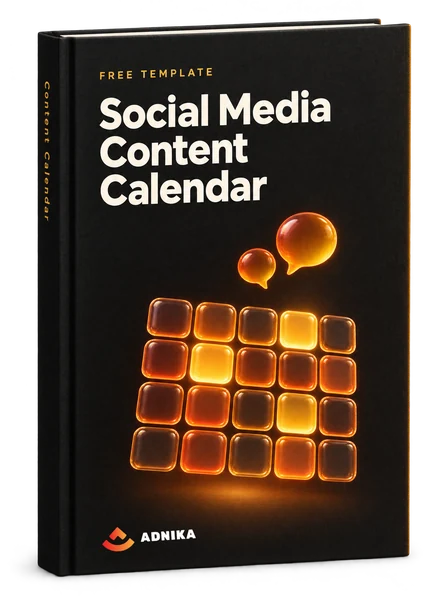
Free social media content calendar template (Excel)
This social media content calendar template is a free Excel workbook for marketers and small teams juggling more than one network. Plan the month on one tab, then write each post on its network's tab, next to its time slot.
- The month at a glance
A Sunday-to-Saturday grid where holidays, campaigns and launches go in before a single post does.
- A tab for each network
X (Twitter), Facebook, LinkedIn, Instagram and Pinterest each get a week of time slots, and Instagram's swaps Message for Caption.
- One master schedule
Every post from every account in one list by date and time, with the characters counted for you.
- A library to reshare from
Log your blogs, guides and offers once (expiry date included) and stop hunting for links at 4pm on a Thursday.
Get the calendar template
Your calendar is ready
Use the download button to save the Excel file. Keep one clean copy and do your planning in a second one.
Download Social Media Content CalendarA copy is on its way to your inbox too.
What's inside
What's inside this social media content calendar template
You get one workbook with 10 tabs, meant to be read from the top down. The month view sets the big moments; the network tabs hold the posts. If you get stuck, a Guideline tab explains the main ones.
Monthly Planning Calendar
A Sunday-to-Saturday grid with room for 5 weeks and a key of 9 entry types, from holidays and campaigns to webinars and product launches. Fill this first. It's where you spot a launch and a sale landing in the same week, while there's still time to move one.
Schedule
One running list of every post on every account, with columns for account, date and time, message, link and campaign, plus a character count that works itself out. Skim it before the week starts and a crowded Tuesday jumps out. (The Bulk Upload tab beside it is blank, for your scheduler's import layout.)
Twitter (now X) and Facebook Updates
A week per tab, Monday to Sunday, with 4 time slots a day and columns for message, link, campaign and image. Only the X tab counts characters. The image cells suggest sizes (1024 x 512 pixels for X, 1200 x 628 for Facebook), but check current specs before you brief a designer.
LinkedIn and Pinterest Updates
Each gets 3 slots a day. The file's notes say LinkedIn posts should sound more professional and less brand-led than Facebook ones. Fair enough. Pinterest's weekend slots run later (10:00, 14:00 and 20:00, not 08:00, 12:00 and 18:00), a nudge to work out the best times to post on social media for your own audience.
Instagram Updates
Only 2 slots a day, and the columns change: Caption instead of Message, Link for bio instead of Link, because links in Instagram captions aren't clickable. The image cell suggests a square 1080 x 1080 post. Treat 2 a day as a ceiling, not a target.
Content Repository
A library of the marketing content you promote most: type, title, link, a snippet worth quoting, an image and an expiry date. When a slot is empty, look here first. The expiry column is what stops you resharing an offer that ended last month.
How to use it
How to create an effective social media calendar
To build a social media calendar that holds up, work from the top down: dates and campaigns first, single posts last. A launch added after the posts are written means rewriting a week of copy (we've watched it happen more than once).
Make the workbook yours
Save a clean master and plan in a copy named for the month. Delete the tabs for networks you don't use; an empty Pinterest tab is just guilt in spreadsheet form. Rename Twitter to X, clear the 2020 sample rows, and add Status and Owner columns if more than one person posts.
- Keep one untouched master
- Delete the network tabs you won't use
Map the month before writing a post
Type the month and year into the Monthly Planning Calendar. Fixed dates go in first (public holidays, launches, events, sales), then campaigns, which often run for several days. Align them with your sales and product teams now, not after the posts exist. And leave a few days light for trends and whatever social listening (tracking what people say about you online) turns up.
- Holidays and launches first
- Room for trends and news
Stock the library, then write tab by tab
List what you'll promote in the Content Repository first, with a link, a quotable line and an expiry date for anything time-limited, and park loose content ideas there too. Then fill the network tabs, writing for each platform rather than pasting one message five times. Put a campaign name on every row. Dull? Yes. It's also how you'll see later which campaign the posts helped.
- Repository before posts
- Watch the character count on X
- A campaign name on every row
Check the week, review the month
Before each week, read the Schedule tab from top to bottom. Is any day crowded? Any link missing? Then load the posts into your scheduling tool. At month end, note which posts earned clicks, saves and replies, and carry that high-performing content into next month's plan.
- A weekly read of the Schedule tab
- Carry the winners forward
Planning guide
A content planning guide for social media
The workbook gives you the grid, and your social strategy decides what goes in it. The same few judgement calls come up every month, so here's how we'd make them.
Social media calendar vs content calendar
The short version: a social media calendar plans single posts (network, time, copy), while a content calendar, or editorial calendar, plans what those posts point to: blogs, videos, emails and articles written for SEO (search engine optimisation), all driven by your content strategy. A campaign calendar sits over both, and an email marketing calendar does the same job for sends. Small teams keep the lot in one workbook; bigger ones hand the editorial side to content marketing.
Read moreWhat to add to a social media calendar template
Add Status, Owner, Format and Time zone before month one. The template includes the basics (date, time, network, copy, link, campaign and image), but a team's calendar must show more, and Status (idea, draft, approved, scheduled, posted) settles more arguments than anything else. Links with UTM tags help too: short labels on a URL that tell your analytics which post sent a visit. Approval needs its own column only if someone outside the marketing team signs off.
Social media content calendar example
Say an online furniture shop in the UAE posts 3 times a week on Instagram and twice on LinkedIn, so 20 posts in a 4-week month. Week 1 carries a new collection: the launch post, a carousel and a short video. Weeks 2 and 3 lean on how-to posts from the repository. Week 4 has the one sales post. In this example that's 4 product posts out of 20, so the feed never reads like a catalogue.
Social media posting schedule template: how often to post
Post as often as you can keep up for a whole quarter, not as often as an eager first week allows. The template's slots run 4 a day on X and Facebook, 3 on LinkedIn and Pinterest and 2 on Instagram. Rows, not quotas. Choose a cadence that lets you maintain a consistent presence even in a holiday month, because 3 weeks of daily posts and then silence looks worse than 2 good posts a week, every week.
Content pillars and content types
Think of pillars as the 3 to 5 themes you keep coming back to: product, how-to, behind the scenes, customer stories. Add a Pillar column and you'll see the mix drift before your audience does. The kind of post matters as much. In HubSpot's 2026 State of Marketing report, 49% of marketers named short-form video as a format that drives the most ROI (return on investment), against 29% for long-form video and 25% for live streaming. All static images? Worth a rethink.
Tailoring one idea for each platform
Write one idea five ways rather than one post five times. HubSpot's 2026 State of Marketing report found 49.4% of teams post the same content across platforms, while 39.5% tailor it for each one; we'd sit firmly in the second group, and separate network tabs nudge you there. In practice that's a short clip for Instagram, a longer, sharper take for a professional feed and one line plus a link for X. Instagram deserves the most care: the same HubSpot 2026 State of Marketing report has it as the platform marketers use most, at 70%.
Ramadan, Eid and other regional dates
In the UAE, treat Ramadan as a season rather than a date. It moves about 11 days earlier each year and starts on a confirmed moon sighting, so pencil it in and adjust (Eid al-Fitr and Eid al-Adha work the same way). National Day falls on 2 December every year, the Dubai Shopping Festival comes round each winter (its dates are announced annually), and the weekend is Saturday and Sunday. In Sweden, mark Midsommar, Lucia on 13 December, Black Week and the July holidays.
Bilingual posts and two time zones
For Arabic and English, add a second copy column rather than a second row, so both versions get approved together. Arabic reads right to left (RTL), so check line breaks and any text on images in that version too. Swedish works the same way. Time zones catch teams out: the UAE is UTC+4 all year (Saudi Arabia and Qatar are UTC+3), while Sweden moves between UTC+1 and UTC+2, so the gap changes when European clocks do. A Time zone column keeps a 9am post at 9am.
Read moreAdapting it for B2B, B2C and team size
B2B brands (those selling to other businesses) mostly live on LinkedIn, with fewer and longer posts, and they won't be alone there: HubSpot's 2026 State of Marketing report found 42% of marketers used it in 2025. Selling to consumers? Expect more slots, more offers and more short video on Instagram, maybe TikTok too. Honestly, team size changes the file more than the industry does. On your own, delete tabs ruthlessly. With a team, add Owner and Status on day one and pick someone who's allowed to say no.
Common mistakes, and what a good calendar looks like
The big one is filling every slot just because it exists. Others we see often: one message pasted across every social channel, campaigns with no end date, expired offers reshared, and no owner per post (which is how two people end up posting the same thing). And nobody looking back. A good calendar tells you on Monday what's going out and who's posting it, and at month end its metrics (reach, clicks, engagement rate, meaning interactions divided by reach) shape future content.
Work with us
Help with your social media marketing
The file on its own is enough for plenty of teams. When the real gap is time or content rather than planning, or social has to pull its weight in a wider digital marketing plan, that's where we come in.
- 01
Social media management
We plan the calendar with you each month, write and schedule the posts, answer comments and tell you plainly what worked.
- 02
Content made in batches
Content creation in monthly batches: photos, carousels, short videos. No slot sits waiting on a designer.
- 03
Paid social
Some posts deserve a budget. We pick those, set up the targeting and keep an eye on what each one brings back.
- 04
Editorial planning
The blog posts, guides and emails your social posts point to, planned alongside them instead of the night before.
FAQ
Frequently asked questions about social media content calendar templates
Short answers to the things people ask before they download one.
Yes, this one: a free calendar template for Microsoft Excel with a monthly planning calendar, a master schedule, a content library and a tab for each of 5 networks. Fill in the form (name, email, company, phone and country) and the download button appears right away. Nothing to install.
This one runs in Google Sheets, like most calendar templates in Excel. Upload the .xlsx to Google Drive, open it with Sheets and save it as a Sheets file, and your team can edit it at the same time. Check the character count columns after the switch, just in case.
You're looking at one. This template doubles as a free planner: map the month, write posts per network, keep your links in one place. It won't publish anything, though. For that you need a scheduler, and Meta Business Suite covers Facebook and Instagram at no cost.
A content calendar lists what you'll publish, where and when. On social media that means one row per post, with the network, date, time, copy, link and campaign. Its real job is turning 'we should post more' into a plan someone can check and follow.
At minimum: publish date and time, network, copy, link, image and campaign. Most teams add an owner and a status, so nothing goes out twice or gets forgotten. A pillar column shows your content mix, and it's worth leaving space to track results if you review monthly.
Start with dates, not posts. Mark the month's holidays, launches and campaigns, choose the right social media platforms for your audience, then fill in posts for each at a pace you can keep. Agree who approves what before anything goes out, and review it weekly or monthly.
Plan key dates and campaigns a quarter ahead and write the posts 2 to 4 weeks out: early enough to batch content and get sign-off, late enough to react. Keep a slot or two free each week for trends and last-minute posts. A calendar with no slack breaks at the first surprise.
There isn't one best app; it depends on your networks and team. Meta Business Suite covers Facebook and Instagram at no cost, while Hootsuite, Sprout Social and Later cover several networks, with team features and reporting. Whichever you pick, keep planning and scheduling separate: the calendar holds the thinking, the scheduler just publishes.
Yes. A spreadsheet plus the free scheduling most networks offer is enough for most small teams. Share the file online, put the big dates in Google Calendar so everyone sees them, and treat the sheet as the one version of the truth. Paid calendar tools pay off once you're running multiple social media accounts with an approval workflow.
For a planning template, set up a sheet with one row per post and columns for date, time, network, copy, link, image, campaign, owner and status; that's really all creating a social media calendar from scratch involves. For post designs, build branded layouts in a tool such as Canva. Or skip the build and adapt this one.
No questions match — try another search.
More free templates
More free templates for your next marketing campaign
A social calendar works better when the rest of the plan is written down too. Each of these is a free download as well, and works the same way.
 Template
Content Mapping Template
A 15-page crash course on content mapping and a Word template with three persona profiles and a content map for each lifecycle stage.Get the free template Kit
Kit10 Social Media Templates
Ten social media templates: an audit, a report deck, an editorial calendar, post logs, a paid social budget, a proposal, hashtag holidays, image sizes and RFP questions.Get the free kit Template
Marketing Plan Template
A Word marketing plan template with a SWOT table, target market and personas, a marketing mix section, a budget table and a channel plan.Get the free template Template
Sales Plan Template
A Word sales plan template covering mission, team, target market, tools, positioning, prospecting, action plan, goals and budget.Get the free template
Free download
Plan next month's posts in a free content calendar
Download the template, block out the big dates and fill the first week before Friday. You'll see the gaps straight away.