
Contents9
- The five UTM parameters and what each one records
- How a tagged link is put together
- Where UTM data shows up in GA4
- When to tag a link, and when to leave it alone
- Why tags matter more when one site serves every channel
- A naming convention that keeps reports clean
- What UTM tags can't tell you
- From a click to a lead in your CRM
- Start with your next campaign
Every link you share sends people to your site, but your analytics can't always tell where they came from. A link opened from WhatsApp, or reached by scanning a QR code on a flyer, often arrives with no referrer at all. Those visits land in the Direct channel, mixed in with people who typed your address from memory. UTM tags fix that by writing the source into the link itself.
UTM stands for Urchin Tracking Module, after the analytics company whose software Google bought and turned into Google Analytics. GA4 still reads the same tags today, and so do most other analytics tools and CRM systems.
The five UTM parameters and what each one records
Each tag is a pair made of a name, such as utm_source, and a value you choose yourself. Three of the five do most of the work, and the last two are optional.
utm_source names who sent the visit, for example instagram, google or the name of your newsletter.
utm_medium records the type of traffic, such as email for a newsletter or cpc for paid search ads.
utm_campaign groups every link from one push under a single name, such as spring-offer or ramadan-offer.
utm_term is optional and was built for paid search keywords, though some teams use it to note the audience they targeted.
utm_content is optional too, and it tells apart two links in the same campaign, such as a header banner and a footer button.
If you run one campaign in Arabic and English, record the language in utm_content with values such as ar and en. GA4 also reads utm_id, a campaign ID used when you import cost data from ad platforms it doesn't connect to directly. Most businesses can leave it out until they need that.
How a tagged link is put together
A tagged link is your normal page address with a question mark after it, followed by each tag joined with an ampersand. For an Instagram story that promotes a spring offer, you'd add ?utm_source=instagram&utm_medium=social&utm_campaign=spring-offer&utm_content=story to the offer page's address.
When someone taps that link, GA4 files the visit under the source instagram, the medium social and the campaign spring-offer. The page loads as normal, because the tags don't change anything the visitor sees. Google's free Campaign URL Builder assembles the link from a simple form, which saves you from typing mistakes.
Where UTM data shows up in GA4
In GA4, open Reports, then Acquisition, then Traffic acquisition. The table starts by grouping visits into channels, so switch the dimension to Session campaign to see your tags. The User acquisition report does the same job for the first visit that brought each person to your site. The two optional tags have their own dimensions, called Session manual term and Session manual ad content.
Add one as a secondary dimension when you want to compare two links inside the same campaign. If you test two versions of an ad, give each its own utm_content value so the winner is easy to spot.
Google Ads is the one platform where you rarely need manual tags. Its auto-tagging adds a click ID to every ad link. Once your Ads and GA4 accounts are linked, that ID passes more detail than UTM tags do. Meta's Ads Manager has a URL parameters field on each ad, and it will insert the campaign name for you through a dynamic value.
When to tag a link, and when to leave it alone
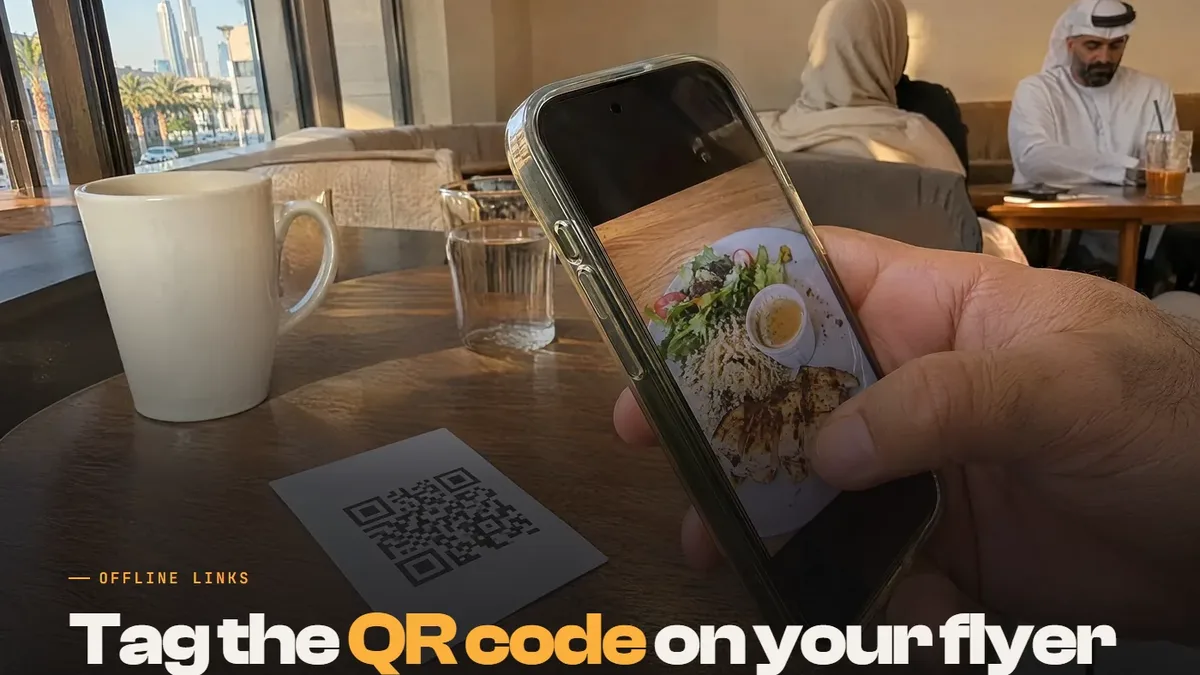
Tag every link you control that points to your site from somewhere else. That covers newsletters, paid social ads, posts on your own accounts, partner links and SMS messages. It also covers links people never think of as links, like the QR code on a flyer or the address printed in a brochure. For a WhatsApp broadcast, use utm_source=whatsapp so those visits stop hiding in Direct.
Tag each newsletter issue with its own campaign name, and you'll see which topics send readers to the pages that sell. It's the same question a content marketing agency in Dubai asks of the articles it publishes.
Never tag links between pages of your own site. A tag on your homepage banner replaces the real source of the visit in GA4. A sale that started with a Google search can then end up credited to your own banner. Track internal clicks with GA4 events instead, which record the click without touching the source.
Why tags matter more when one site serves every channel
German Medical Center, a multi-specialty clinic in Dubai, used to run two separate websites, one for organic and one for paid traffic. Adnika replaced them with one centralised WordPress site. When paid and organic visitors share the same pages, the landing page alone no longer tells you who sent them. That job falls to campaign tags and to the click IDs that ad platforms add on their own.
A naming convention that keeps reports clean
GA4 treats every spelling as its own source, so Instagram, instagram and ig show up as three separate rows. Write every value in lower case and choose one spelling for each platform. Use hyphens instead of spaces, since a space gets turned into code characters and can break when the link is copied.
The medium matters most, because GA4 reads it to sort visits into channels such as Email, Organic Social and Paid Social. A medium it doesn't recognise, like newsletter-blast, can leave those visits in a channel called Unassigned. Stick to email for email, cpc for paid search, paid-social for paid social ads and social for unpaid posts.
Keep the agreed values in one shared sheet, with a column for each tag and one for the finished link. Anyone who builds a link copies from the sheet instead of inventing a new spelling on the day. Never put names, email addresses or phone numbers in a tag. Google's terms don't allow personal data in Analytics, and tagged links get forwarded far beyond the person you sent them to.
Long tagged links look messy in a social caption or a text message. A link shortener hides the tags, and the data still reaches GA4 because the short link redirects to the full one.
What UTM tags can't tell you
Tags only count people who click the tagged link itself. Someone who sees your poster and later searches for your name will show up as search traffic, not as the poster campaign. Visitors who decline analytics cookies may not be recorded in full, depending on how your consent banner is set up. Some redirects and link wrappers also strip everything after the question mark.
Test each tagged link before launch by opening it in a private window. Then check the Realtime report in GA4 to confirm the campaign name came through as you wrote it.
From a click to a lead in your CRM
Analytics shows which campaign brought a visit, while your CRM shows whether that visitor became a customer. Joining the two is where tagging gives you the most value. Add hidden fields to your enquiry forms that read utm_source, utm_medium and utm_campaign from the address and save them with the lead. Each new contact then arrives with the campaign that produced it, so you can count leads and sales per campaign.
In HubSpot, those values save to contact properties, which is part of the form setup a HubSpot CRM agency in Dubai handles.
For the businesses we work with, campaign results sit in one place. The Adnika Dashboard: one live view of a client's ads, analytics and CRM data, with AI recommendations reviewed by the strategist. For a client running tagged campaigns, consistent values keep that view readable, with each campaign under one name instead of several spellings.
Start with your next campaign
You don't need to retag every link you've ever shared. Start with the next campaign you send, and write the naming rules into the shared sheet before you build a single link. Check GA4 the day after launch, and fix any tag that shows up under Unassigned or with a capital letter.
Once your tags are consistent, you can compare channels on the leads they bring rather than on clicks alone. That comparison is where the testing work of a growth marketing agency in Dubai starts. If you'd rather not build the tracking yourself, it's part of the campaign work at our digital marketing agency in Dubai.