Contents26
- CRM vs ERP in two lines
- What a CRM does
- Who works in a CRM
- What an ERP does
- Who works in an ERP
- The main differences between CRM and ERP
- Purpose
- Users
- Data
- How success is measured
- Set-up effort
- Who owns each system
- Where CRM and ERP overlap
- Reporting from each system
- Signs your business needs a CRM first
- Signs your business needs an ERP first
- When a business needs both systems
- How CRM and ERP connect
- One customer, two records
- All-in-one suites
- Costs and effort, without guesswork
- Common mistakes when choosing
- Choosing a CRM for a UAE business
- Where HubSpot fits
- A simple way to decide
- Your next step
Most business owners don't set out to buy new software. They go looking for a fix after a lead sits unanswered for a week, or after the warehouse count disagrees with the accounts again. Two kinds of system usually come up in that search, and their names sound alike. That's why choosing between the two is one of the first questions a growing business asks.
A CRM helps you win and keep customers, while an ERP helps you deliver what they ordered and keep the books straight. Both store business data and both automate routine work, and vendors on each side sell theirs as the one system to run everything. Each one solves a different problem, so buying the wrong one first wastes time and money.
This guide explains what each system does, who uses it, and where the two meet. It closes with a simple way to decide, written for companies in Dubai and the wider UAE whose sales and stock have outgrown spreadsheets.
CRM vs ERP in two lines
A CRM, short for customer relationship management, is the system your sales and marketing teams use to manage people. It keeps every contact and deal with the history of each call and email, so any colleague can take over an account.
An ERP, short for enterprise resource planning, is the system your finance and operations teams use to manage resources. It keeps stock, purchase orders, invoices and the general ledger in one database, so the numbers agree across departments.
Put simply, a CRM faces outward towards your customers and an ERP faces inward towards the operation. Almost every other difference between the two systems follows from that one line.
What a CRM does
A CRM gives every customer one record and keeps the whole relationship on it. When someone fills in a form on your website, the CRM creates a contact and notes which page or ad brought them in. It then assigns the lead to a salesperson and reminds them to follow up.
Each call and email from then on is logged against the contact. Meetings, quotes and chat messages sit on the same timeline, so nobody has to ask a colleague what was promised. Once the deal closes, the record stays in place and your service team inherits the full story.
Most CRMs cover the same core jobs:
Contact and company records that hold notes, files and the history of every conversation.
A sales pipeline that shows the stage and value of each open deal.
Lead capture from website forms and ads, with each new lead routed to the right person.
Email and task automation, so follow-ups go out on time without anyone having to remember them.
Service tickets, so questions and complaints after the sale stay linked to the customer.
Reports on where leads come from and how quickly deals move through each stage.
Who works in a CRM
Salespeople spend most of their day in the CRM. They open it each morning to see which deals need a call and which quotes are waiting on an answer. Marketers use it to send campaigns to the right segment, while service staff answer customers with the full history in front of them.
Managers use the CRM differently, because they care more about the numbers than the next call. They want the forecast, the conversion rate from lead to customer, and a view of which channels bring in buyers rather than browsers. A well-run CRM answers those questions without anyone building a spreadsheet on a Friday afternoon.
What an ERP does
An ERP connects the departments that turn an order into delivered goods and collected cash. When a sales order arrives, the ERP checks stock, reserves the items and tells the warehouse what to pick. It raises the invoice when the goods ship and posts the revenue to the ledger. The stock count drops at the same moment, so finance and the warehouse see one number.
Without an ERP, those steps tend to live in separate tools. The accounts sit in one package, stock lives in a spreadsheet, and purchase orders go out by email. Every handover between them invites mistakes, such as a missed reorder or an invoice nobody sent.
The usual ERP modules include:
Finance and accounting, covering the general ledger, payables, receivables and tax reporting.
Inventory and warehouse management, with stock levels by location and reorder points.
Purchasing, from supplier quotes through purchase orders to goods received.
Manufacturing or project costing, for businesses that make products or bill by the job.
Human resources and payroll, in companies that run them inside the same system.
Order management, which ties each sales order to stock, delivery and invoicing.
Who works in an ERP
Accountants and finance managers spend their day in the ERP. They close the month, reconcile bank accounts and chase overdue invoices from the same screens. Warehouse staff use it to receive goods and pick orders, while buyers raise purchase orders from it when stock runs low.
Owners and directors look to the ERP for the numbers that matter at board level. Margin by product, cash on hand and stock value all come from there. If the ERP is wrong, every financial decision built on it is wrong too.
The main differences between CRM and ERP
Both systems hold data and both run workflows, so the line between them blurs in sales demos. These are the differences that matter when you're choosing.
Purpose
A CRM exists to grow revenue by bringing in more leads, converting more of them and keeping customers coming back. An ERP exists to run the business accurately and at a sensible cost. Its job is to remove waste and error from the work that happens after a customer says yes.
Users
CRM users face the customer, which means sales, marketing and service. ERP users sit behind the scenes in finance and operations, including the buyers who order stock and the team in the warehouse. In a small company one person may use both, but the screens they need are different.
Data
A CRM stores relationship data, meaning contacts, companies, deals, emails, meeting notes and the source of each lead. An ERP stores transactional data instead, with orders and invoices on one side and stock movements and journal entries on the other.
The difference shows most clearly in how the data changes over time. CRM records change all the time as conversations move along. ERP records are meant to stay fixed once posted, because an invoice or a stock receipt is an accounting event with a paper trail.
How success is measured
You judge a CRM by sales results such as lead response time, win rate and how quickly deals close. An ERP gets judged on operational results such as on-time delivery and the speed of the month-end close.
Set-up effort
A CRM is usually the lighter of the two projects. You import contacts, set up a pipeline that matches how you sell, connect your email and website forms, and train the team. An ERP touches every financial process in the company. Before anyone posts a transaction, it needs a chart of accounts and opening balances, plus item records and approval rules.
That gap in effort also shapes the risk of each project. A CRM set-up that goes wrong is annoying, while an ERP set-up that goes wrong can stop you invoicing customers or paying suppliers. ERP projects usually need careful data migration and a period of parallel running before the old system is switched off.
Who owns each system
The head of sales or marketing usually owns the CRM, and the finance director or operations lead owns the ERP. When nobody owns a system, its data quality slides. Duplicates pile up, fields go blank and reports stop matching what people see on screen.
Where CRM and ERP overlap
The two systems meet at the point of sale. A won deal in the CRM turns into a sales order in the ERP, and the customer record needs to exist in both. Prices, products and payment status cross between the two systems as well.
This overlap is where many companies get confused about which system they need. Some CRMs include quotes and simple invoicing, while some ERPs include a basic contact list and a sales pipeline. Vendors on both sides keep adding features from the other side, so the brochures start to look alike.
The test is depth: an ERP's built-in CRM module rarely matches a dedicated CRM for lead tracking, email automation or marketing reports. In the same way, a CRM's invoicing feature won't keep your ledger or manage your stock. Each tool is strong at its own job and thin at the other's.
Reporting from each system
Each system answers a different kind of question, and knowing which is which saves a lot of report requests. Ask the CRM about the future, such as what's in the pipeline and which campaigns bring in buyers. Ask the ERP about money and goods that have already moved, such as last month's margin or today's stock value.
The most useful reports draw on both. Revenue by campaign, for example, needs the lead source from the CRM and the invoiced amount from the ERP. Without a link between the two, someone ends up joining them in a spreadsheet every month. By the time anyone reads that report, its numbers are out of date.
Signs your business needs a CRM first
Start with a CRM when your main problem is growth and follow-up. These are the usual signs:
Leads arrive from your website, ads and WhatsApp, and nobody knows how many went unanswered last month.
Each salesperson keeps their own spreadsheet, so when someone leaves, their pipeline leaves with them.
You can tell which campaigns produce clicks, but not which ones produce customers.
Quotes go out by email, and the follow-up depends on someone's memory.
Customers repeat their story every time they call, because nobody sees the last conversation.
Your forecast is a guess pieced together in a Monday sales meeting.
If several of those sound familiar, a CRM is the more urgent fix. Your accounting package may be basic, but sales growth is what's being held back.
Signs your business needs an ERP first
Start with an ERP when the pain sits in delivery, stock or cash. Watch for these signs:
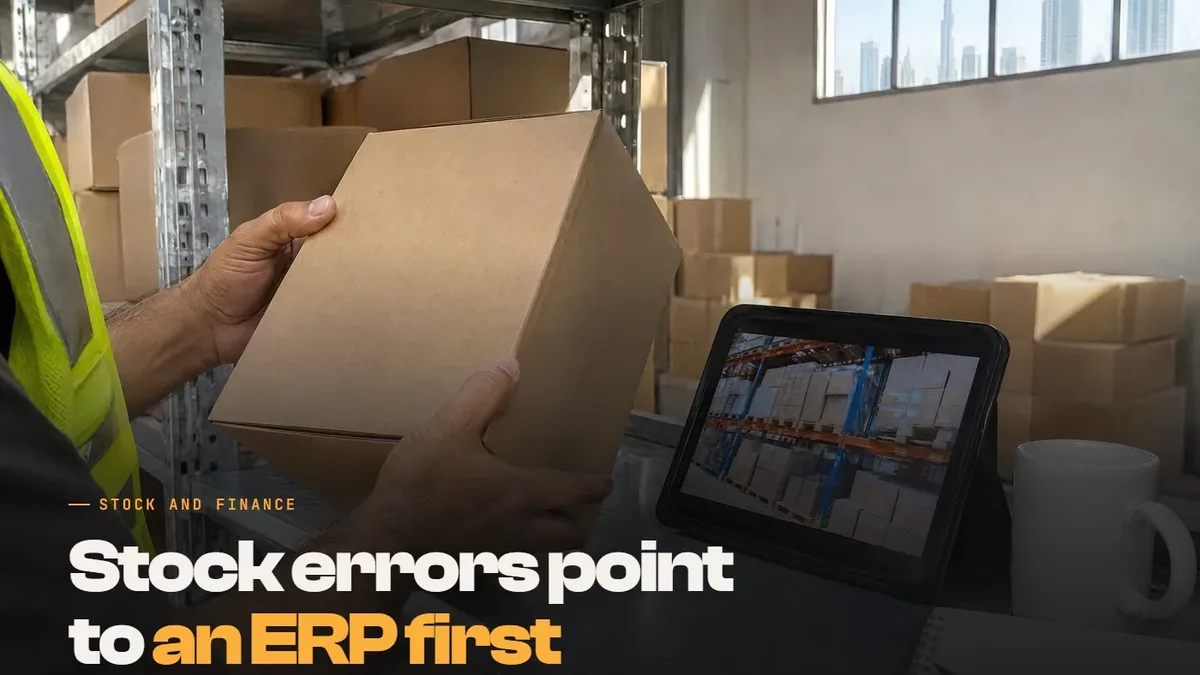
Stock counts in the warehouse don't match the numbers in your accounts.
Month-end close takes days because data has to be copied between systems by hand.
You sell products that run out, expire or need reordering, and nobody spots a shortage until a customer complains.
Purchase orders and supplier invoices live in different places, so matching them is slow work.
You can't see margin by product or by customer without someone exporting data first.
You run more than one entity, branch or warehouse, and consolidating them is painful.
In this case a CRM won't fix the core problem, because you need one source of truth for stock and money first.
When a business needs both systems
Companies that sell physical products at volume tend to end up with both. A trading company, a distributor or a manufacturer with a sales team has customer work and operational work in equal measure. A services firm with no stock may run for years on a CRM and a good accounting package.
The order you buy them in matters more than the end state. Many growing businesses set up the CRM first, because it's quicker to put in place and it supports revenue straight away. They add the ERP when stock and finance outgrow their accounting software. Firms with complex operations often go the other way round, and that's fine too.
What you should avoid is buying both at once with no plan for how they'll share data. Two systems with two customer lists drift apart quickly, and then sales and finance spend their meetings arguing over which number is right.
How CRM and ERP connect
When you run both, the link between them decides whether the set-up helps or hurts. The goal is simple: each piece of data lives in one system, and the other system reads it.
A common split looks like this:
The CRM owns leads, contacts and deals, along with marketing activity and service tickets.
When a deal is won in the CRM, it creates a sales order or a customer account in the ERP.
The ERP owns products, prices, stock levels, orders, invoices and payments.
The ERP sends order and invoice status back to the CRM, so salespeople see them on the contact record.
With that split in place, a salesperson checks whether a customer has paid before offering new terms. A finance manager sees which deals are about to close and plans cash and stock around them. Nobody has to type the same order into two systems.
There are three common ways to build the link between them. Native connectors come ready-made from one of the vendors and cover the standard records. Middleware tools sit between the two systems and move data on a schedule or whenever a record changes. Custom API work handles unusual rules, such as special pricing or multi-currency orders, but someone has to maintain it.
Whichever route you take, agree the rules before you connect anything. Decide which system wins when the same field differs, and how duplicates get matched. Clean data makes every one of those rules easier to apply. Before any ERP link goes live, it often pays to start with a CRM data migration.
One customer, two records
The customer appears in both systems, and that's where trouble starts. Sales creates a contact in the CRM with a first name and a mobile number. Finance creates a customer account in the ERP with the registered company name and a tax number.
Unless one system feeds the other, you'll end up with two versions of the same customer. Pick a single key, such as the customer number from the ERP, and store it on the CRM record. Every sync then matches on that key instead of on names that differ by a comma.
All-in-one suites
Some vendors sell a single suite that covers CRM and ERP together. On paper, that removes the integration problem, because every module shares one database. In practice, the suite tends to be stronger on one side than the other. You find out which side once your team starts using it.
A single suite works well when sales are simple and operations are complex, as at a manufacturer with a handful of large customers. A company whose growth depends on marketing and fast follow-up usually needs a dedicated CRM, even if its ERP has a sales module. Before you decide, ask for a demo built on your own sales process rather than the vendor's script.
Costs and effort, without guesswork
We won't put numbers on either system here, because the cost depends on your users, your processes and how much data you bring across. What we can show is what pushes the cost up or down.
For a CRM, the main cost drivers are:
The number of people who need paid seats, as opposed to view-only access.
How many pipelines, products and sales processes you need to model.
The state of your existing data, and how many places it sits in.
Integrations with your website, ad accounts, phone system and email.
Training, so the team uses the system instead of going back to spreadsheets.
For an ERP, the drivers are heavier:
The modules you need, from finance and inventory to manufacturing or payroll.
Data migration, including opening balances, open orders and item records.
Local requirements such as bilingual documents and VAT invoices.
The number of legal entities, warehouses and currencies you run.
Testing and parallel running before you switch off the old system.
An ERP project usually carries more risk than a CRM project and asks more of your own staff. Plan for that in your timeline and in the hours your finance team can spare.
Common mistakes when choosing
Most bad choices come from treating the decision as a software purchase rather than a change in how people work. These mistakes come up again and again:
Buying an ERP to fix a sales problem, then wondering why leads still go unanswered.
Using the CRM as an invoicing tool until finance builds a shadow system in spreadsheets.
Choosing on feature lists instead of on the daily work of the people who will use the system.
Importing messy data and hoping the new system will clean it up.
Skipping training, so the team keeps its old habits and the new system stays empty.
Connecting the CRM and the ERP before agreeing which one owns each field.
Of these, the last mistake does the most quiet damage over time. Duplicate customers and mismatched prices spread through both systems, and fixing them later costs far more than agreeing the rules up front.
Choosing a CRM for a UAE business
If the CRM comes first, a few local needs should shape the choice. Many UAE teams sell in Arabic and English, so the system should handle both in emails and on forms. WhatsApp is a main sales channel here, so those conversations need to land on the contact record rather than on a personal phone.
Sales cycles also vary a lot from one sector to the next. A clinic wants fast follow-up on enquiries from ads, while a B2B supplier needs a pipeline built for long cycles and several decision-makers. If you sell to other companies, the set-up for long cycles is covered on our page about HubSpot for B2B companies. For a consumer brand, the focus moves to campaigns and repeat purchases.
Think ahead to the ERP as well, and pick a CRM with an open API and ready-made connectors to common accounting systems. That way the later link is a configuration job rather than a rebuild.
Where HubSpot fits
Adnika works with HubSpot, so that's the CRM this section covers. HubSpot is a CRM platform with marketing, sales and service tools on one customer record. It isn't an ERP and doesn't try to run your stock or your ledger. It connects to accounting and ERP systems through ready-made apps and its API.
Our team starts with your sales process rather than the software when we work as your HubSpot CRM agency in Dubai. We map how leads arrive, how deals move and where the handover to finance happens. The pipeline and its automations are then built around that map, with reports built on the numbers the owner checks.
A business with no CRM yet usually starts with pipeline design, data import and user training through HubSpot onboarding. Teams that want nurture emails and lead routing to run by themselves add marketing automation. Companies already on another CRM move their contacts and history across first, before anything else changes.
Once the CRM is live, the next question is whether it pays its way. The Adnika Dashboard: one live view of a client's ads, analytics and CRM data, with AI recommendations reviewed by the strategist. For a company still weighing CRM against ERP, it shows which campaigns turn into won deals. That tells you what the CRM is returning before you plan the next system.
A simple way to decide
Work through these steps in order and write your answers down, because they'll also become the brief for whichever system you pick.
Name the one problem that costs your business most today. Lost or slow leads point to a CRM, while stock errors and slow month-end closes point to an ERP.
List the people who will use the system every day. If most of them talk to customers, start with a CRM.
Check your accounting set-up: if your current package handles invoices and VAT well and you hold little stock, the ERP can wait.
Gather every spreadsheet and inbox where customer or stock data lives, and decide what moves first.
Plan the connection now, even if the second system comes later. Choose tools with open APIs and agree which system will own each field.
Set one measure of success for the first system, such as lead response time or stock accuracy, and review it after launch.
Your next step
If your answers point to a CRM, the next step is a set-up that fits how your team sells today. We build that pipeline and its reporting on HubSpot as part of our CRM services in Dubai. If they point to an ERP, bring your finance team in early and keep the later CRM link in mind as you choose.
Either way, you'll find the choice much easier once you know which problem you're solving first. Solve that one properly, and the second system has clean data to build on.