 Personal brands
Roxana Diaconu
- Design
- Development
- 3D and motion
HubSpot & CRM
HubSpot migration in Dubai for teams leaving Salesforce, Zoho, spreadsheets or an older CRM. We clean your data, map every field and check a sample before your sales team switches over.
A senior person reads this and replies within one working day. No call centre, no drip sequence.
The form did not load.
It is our end, not yours. Email us instead and it reaches exactly the same person.
Support@adnika.comPlatforms & clients
The platforms we build and run campaigns in, and the clients whose numbers we publish with their names on. These are tools we use, not partner badges.


Websites and plugins connected to a CRM, from HubSpot to Goyzer and Odoo. Pick another service or an industry, or search for a client.
View all case studies Personal brands  Corporate
 Healthcare
 Real estate
 Real estate
 B2B and industry
 Real estate
 Real estate
 Retail and e-commerce
 Retail and e-commerce
 Healthcare
 Interior design
 Personal brands
 Healthcare
 Healthcare
 Real estate
 Education
 Finance
 Our own products
 Healthcare
 Real estate
 Finance
 Healthcare
 Our own products
 Our own products
 Our own products
 Healthcare
Nothing matches that yet.
What we do
Most CRM migration projects go wrong before the first import. Clutter gets copied across unchanged, duplicates follow it, and reps log in to records they don't recognise. We start with your data and your sales process instead, so your HubSpot portal reflects how your business sells today.
What you get at go-live
Contacts, companies and deals arrive deduplicated, with consistent values across your data. Your reps stop checking several tools, because the customer data they need sits in one place. Dashboards start from numbers your managers believe.
Historical data keeps its links to the right records. Notes, emails, calls and tasks stay on the timeline of the contact or deal they belong to. A rep picking up an account sees what happened last, without asking a colleague for the backstory.
Lifecycle stage, lead source and deal data sit together in HubSpot CRM. Marketing sees which campaigns turn into pipeline, and your sales team works from the same picture of each prospect. Selling gets easier when the person calling a lead can see every email and form they've touched.
How we work
A data migration to HubSpot has four jobs, and each phase depends on the last. We work out what you have, move it in a controlled order and rebuild the automation around it. Then we help your team adopt the new CRM and measure results in it.
Planning starts with working out what you have and what you need. That means exporting a sample from your current setup, listing every object and field, and talking to the people who use them. The result is a migration strategy and a field mapping document you approve before any data moves.
Clean data goes in first, in the order HubSpot needs it. Before we migrate your data, we back it up, fix what the review found and create custom properties. Companies and contacts go first, then deals and tickets, then the activity attached to them. A test import on a sample catches field mapping errors while they're cheap to fix.
Automation doesn't transfer from one CRM to another, so we rebuild it. We go through your current rules, drop the ones nobody needs and recreate the rest as HubSpot workflows. Your sales pipeline, lead routing and task queues get set up around how your reps work today. Anything connected to the legacy system gets pointed at HubSpot before cutover.
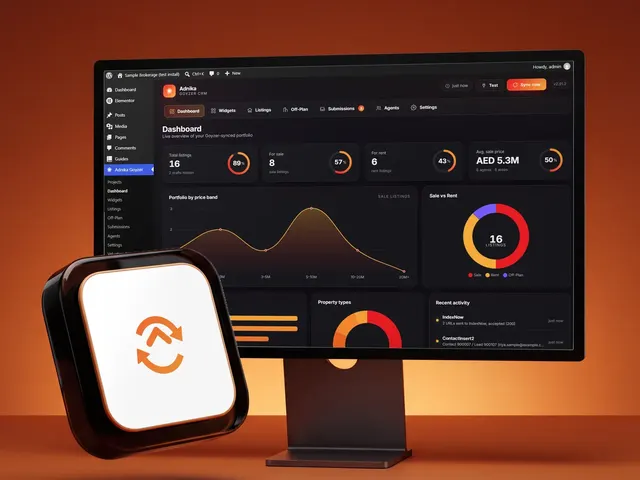
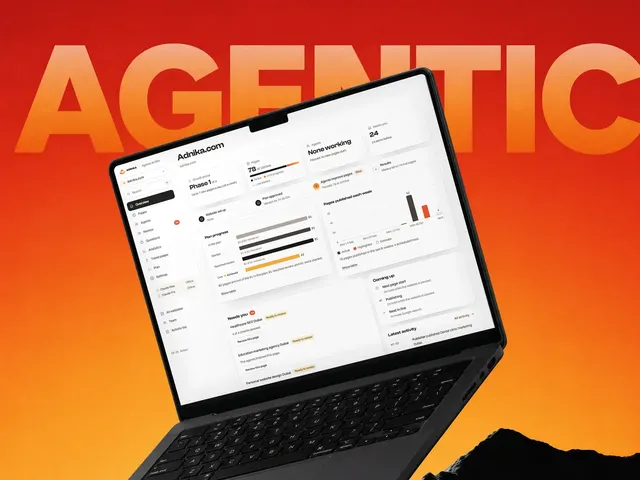
We run user training on your own data, so reps practise with accounts they know. The Adnika Dashboard: one live view of a client's ads, analytics and CRM data, with AI recommendations reviewed by the strategist. After a migration, that's where you watch new leads and deals land in HubSpot beside the campaigns behind them.
How we use AI
We review your current CRM and any files your team keeps on the side. You get a plain summary of what's in there: record counts, duplicates, empty fields and custom objects. That review tells us what the data migration involves and where the risks sit. If your information sits in several places, this is where we prepare it for one home.
Next comes the migration strategy. We agree what moves, what stays behind and how each field maps to a HubSpot property, including any custom properties you need. You review the mapping with your sales and marketing leads, because they know what the data means. Anything without a clear objective gets left out of the new setup.
We back up your data, load a sample into the HubSpot portal and compare it with the original. Errors get fixed in the mapping, then the full import runs in order. Record counts are checked object by object, so missing data shows up straight away. Accurate data matters more than speed here, so we don't skip a check to save an hour.
Your team switches to HubSpot on a specific date, with the old system set to read-only so nobody updates two CRMs at once. We train your users, check the incoming data and fix what comes up as real deals move through. From then on, HubSpot is the single place your team works from.
Why us
A data migration is part technical job and part change in how people work. User adoption decides whether the move pays off, so we plan for both from the start. That matters in Dubai, where one CRM often has to hold teams, languages and markets that don't sit neatly together.
We use CRM data to run campaigns and sales programmes, so we know which data matters once the move is done. Our work spans retail, fintech, healthcare and real estate, and each of those sectors treats customer data differently. Decisions on stages and lifecycle logic come from how revenue works in your business.
Many UAE databases mix Arabic and English names, so one company can sit in your CRM twice under two spellings. We set file encoding correctly so Arabic text survives the move. Where a tool can't match those duplicates, a person reviews them against phone numbers and email addresses. Multi-currency deals need the same care, so each deal keeps its original value and currency.
For German Medical Center, a multi-specialty clinic in Dubai, Adnika replaced two separate websites with one centralised WordPress site. That was a website project, and the same discipline applies to customer data. You agree one source of truth first, then move everything into it in a planned order.
You approve the field mapping, the trial results and the cutover date. We write each decision down in plain language, so your team owns the setup after we finish. Nobody has to call an agency to learn what a custom field means. Everything sits in documents you keep, including the mapping and the rules behind each automation.
Capabilities in detail
Every data migration differs, and these are the pieces we scope for most businesses. Your first review shows which ones you need, and we leave out anything that doesn't earn its place. The order below follows how the work usually runs.
We export your data and check it for duplicates, blanks, inconsistent entries and records nobody has touched in years. Old fields that nobody fills in are dead weight, so we flag them for removal. You decide what gets cleaned, merged or archived before we move anything. Good data quality at this stage saves far more work than any fix after go-live.
Each source field gets a destination field in HubSpot, with its type and allowed values written down. Dropdown values that don't match are a common reason imports fail, and mismatched date formats lead to errors too. We align them first, because field mapping errors put data in the wrong place. They're hard to spot once thousands of records have moved.
We use HubSpot's standard fields wherever they fit, because dashboards and integrations expect them. Where your business needs something specific, we create custom properties with clear names and descriptions. Each custom field needs a reason to exist, so the HubSpot property list stays short enough for reps to use. Nothing gets created merely because the old CRM had it.
Contacts, companies, deals and tickets all connect to each other, and those links make a CRM useful. We preserve the associations between objects using unique IDs from the original records, which also prevent records from doubling up on a repeat load. If you need custom objects, we check they fit your HubSpot plan and model them first. That way a deal still points to the right company and its associated contacts.
Notes, calls, emails and tasks tell your reps what happened with an account. We agree how much history is worth keeping, since years of stale activity rarely helps anyone. Where the standard tools fall short, we use the HubSpot API to load engagement data against the right records with its original dates. Anything you don't bring across stays in a dated archive your team can still open.
Old stage names rarely line up one-to-one with a HubSpot sales pipeline. We agree the new stages with your sales team, then translate each open deal into its new stage. Lifecycle stage values get the same treatment, so marketing and sales agree on what a lead or a customer is. Deals that no longer fit get closed or archived, so your forecast shows live opportunity only.
Workflows, sequences and assignment rules can't be imported from another CRM, so the rebuild is manual work. We use the move to streamline them, with fewer rules, clear names and one owner for each automation. Testing happens on sample records before any HubSpot workflow touches live contacts.
Opt-out status has to survive the move, or people who left your list start getting your emails again. We carry those preferences across with care, and we decide with you which contacts count as marketing contacts. Forms, ad audiences and social media lead sources then get reconnected, so you capture new leads in the right place.
Technology
Most data migration projects we scope start from one of these platforms or an older contact management tool. Here's what usually moves, and where it lands in HubSpot.
Where the data usually comes from when a business is moving into HubSpot.
Where your migrated data lands, depending on the plan you run.
How data keeps moving after go-live.
What we use to check the data and show it arrived.
What has to point at the new portal at cutover.
The local details we check in every UAE database.
Industries
Every number below is the count of case studies we have actually published in that sector, and the best result among them. Nothing is a counter.
Client stories
On camera and in writing — swipe through the founders and teams we’ve helped design, build and grow.
In their words
GMC is thrilled to extend our heartfelt appreciation to Adnika! Collaborating with Ehsan and his team has consistently been an absolute delight. Ehsan's dedication and commitment have ensured that German Medical Center remains an exceedingly satisfied and happy client, especially regarding their Hubspot Onboarding, Digital Marketing, Website Development, Content Creation and Social Media Marketing. Adnika is indeed the Best Digital and Growth Marketing Agency in UAE!
Adnika provided us with their Inbound Sales and Marketing solutions through Hubspot. They helped us generate more qualified leads for our sales team, drive website traffic, increase customer engagement, and grow our customer base. Adnika is a reliable partner that has always taken our specific goals and needs seriously.
Adnika has helped us plan, implement and optimize ad campaigns on Facebook and Instagram. Adnika is truly committed to Performance Marketing. They provided us with a fantastic dashboard with detailed KPIs that helped us track the campaigns’ performance in real time. Adnika also gave us helpful and dedicated support during the whole project, and the campaigns turned out to be a great success. We highly recommend working with Adnika's growth experts.
We really enjoyed working with Adnika’s team. Not only are they talented, but they all take the time to understand whom they're working with, what they're trying to accomplish, and how to help the business achieve its goals. The quality of work we've experienced has made a huge difference for us and helped drive new business.
Adnika helped Sea Technology with setting up new digital channels, such as Google Search Ads, to attract more customers and leverage our brand. We are very satisfied with the results and we will continue with the implementation of lead generation, marketing automation, and performance marketing.
Working with the Adnika team has been a real pleasure! Extremely friendly, Ehsan and Elin are always available with prompt replies, valuable insights, patience, a problem-solving attitude, and high knowledge. Super easy to work with them. I highly recommend the Adnika team to help your business!
I am an artist, but I also manage a collective of DJs. In order to promote our services to our clients, we needed Inbound solutions that could attract the right traffic and promote the brand. Adnika built and designed our Inbound processes as well as create and manage campaigns on social media and Google Ads which helped us attract many more customers. I’m very happy!
We've been using Adnika growth marketing solutions only for a few months. They are highly professional, competent, experienced, and creative. Get ready to get to work with this agency. They will come alongside you as a business owner and feel your pain and joy! Get ready to transform your business.
Watch
 0:28Play Still Chasing Leads Manually? Automate It With HubSpot, 28 seconds
Manual follow-ups don't scale, and missed leads cost money. HubSpot can automate lead capture, lead scoring, follow-ups and sales assignment, so hot leads get action and cold ones get nurtured.
Still chasing leads manually? There's a better way. Manual follow-ups don't scale, and missed leads cost you money. We use HubSpot to automate everything, from lead capture to lead scoring to automated follow-ups and sales assignment. Hot leads get action, cold ones get nurtured. Nothing slips through the cracks. Let's build a smarter system inside HubSpot for you.
 0:26Play Getting Leads Is Easy. Managing Them Is Where Growth Happens., 26 seconds
Getting leads is easy. Managing them is where growth happens. Automation tags, scores and segments every lead, then hands the hot ones to your sales team.
Lead generation without lead management is a trap. Getting leads is easy. Managing them, that's where growth happens. At Adnika, we automate it from first click to follow-up. We tag leads, score them, segment them and hand over the hot ones to your sales team. No more cluttered sheets. No more missed opportunities. Let's build a lead system that actually works.
FAQ
Here's what teams usually want to know before they start a data migration. If your question isn't here, send it through the form at the top of the page.
A HubSpot migration is the move of your CRM data, pipelines and automation from another system into HubSpot. The history attached to each contact and deal comes with them. The work goes well beyond one file upload, which is why it's a core service of our HubSpot and CRM agency in Dubai.
You're ready when your current CRM is holding your team back and you've named a person to own the project. Common signs include reps tracking deals in their own files, reports nobody trusts and marketing data stuck in a separate tool. You don't need clean data before you start, because the audit covers that. You do need a decision-maker who's able to sign off the mapping.
Migration moves what you already have into HubSpot, while onboarding sets the platform up and gets your team working in it. If you have no CRM to move, our HubSpot onboarding services are the better fit. Many businesses need both, and we plan them as one implementation process so nothing gets done twice.
It depends on how much data you have, how messy it is and how many workflows need rebuilding. A small contact list and a multi-system move are different jobs. We don't give a timeline before reviewing your data, because anything earlier would be a guess. Once we've seen it, you'll get a plan with a specific date for cutover.
We back up your data before the first import and keep the current platform read-only at cutover. Trial loads run on a sample first, so mapping problems surface while they're small. After the full load, we compare record counts to find anything missing. If a batch goes wrong, we pull the data back out and rerun it with a corrected mapping.
We need a project owner, admin access to both platforms and time from the people who know your data. Your sales and marketing leads should review the field mapping, because they know how your team uses it. Reps need to attend training before go-live. The rest of the technical work sits with us.
Yes. Many UAE businesses keep customer data across a CRM, several spreadsheets and an email tool. We merge those sources during the first review, decide which one wins when records disagree and remove duplicates before migrating data into HubSpot. If other platforms have to keep talking to HubSpot afterwards, our CRM integration services cover that connection.
Not automatically. Workflows, reports and dashboards from another CRM can't be imported, so they need rebuilding in HubSpot. That gives you the chance to keep the automation that earns its place and drop the rest. Scoring often needs redesigning at the same time, and our lead scoring setup work fits into the rebuild.
We check encoding before importing anything, because Arabic text saved the wrong way turns into unreadable characters. Names often appear in both languages, so the same contact may exist twice under different spellings. We match those records using phone numbers and email addresses, then decide with you which name stays as the primary value. We also check how Arabic values display in your views and email templates before go-live.
The main factors are how many tools you're moving from, how much history you keep and how much custom work the new setup needs. Clean data in one place is a smaller job than years of records spread across several tools. We scope the work after the audit, so the proposal reflects your data and your plans for HubSpot.
No questions match — try another search.
Free resources
A migration is a good moment to reset your sales goals and marketing plans. These free resources help you set targets and build a plan for the data you're bringing into HubSpot.
Work out how many leads marketing must hand to sales each month to hit the revenue target, then track every region against that plan.
A Word sales plan template covering mission, team, target market, tools, positioning, prospecting, action plan, goals and budget.

A guide to setting up marketing automation in five steps, with templates for goals, personas, the buyer journey, workflows, lead scoring and A/B tests.
An Excel planner for every email you send, with owner, status, subject line and lists, and delivery, open and click rates worked out for you.
Where this sits
This data migration work is one piece of a wider CRM programme. With your data in HubSpot, the related services here help your sales and marketing teams get more from the platform.
Next step
Tell us what you're leaving and what's not working. We'll talk through what a successful HubSpot migration would involve for your business.