
Contents15
- A plain definition of an agentic contact center
- How AI agents and human agents split the tasks
- Why separate systems made setup take months
- Three shifts behind a faster AI contact center
- Who: the customer's data is already connected
- Where: one routing engine for all customer interactions
- Action: AI agents that resolve requests
- The AI-powered tools you switch on, from agents to human handoffs
- Five steps to a first live test call
- The conditions behind the under-an-hour claim
- AI agents aren't the slow part any more
- Headless setup for technical teams
- The customer experience after launch
- Where this leaves customer service teams in the UAE
- What Dubai customer support teams should do now
Launching a contact center has usually meant months of integration work before the first customer call. Salesforce has now published a guide arguing a prepared team can start delivering business outcomes in under an hour. The company calls that an honest timeframe with a few conditions. Those conditions decide how fast your own team can move.
Teams used to buy a phone system, a chatbot and a reporting tool separately. Then came weeks of getting them integrated. Adding a channel such as SMS meant another integration project, with its own rules and reports.
The shift is that the pieces no longer arrive as separate products. The agentic approach puts AI agents, human reps and customer records on one foundation, so most of that integration work disappears. Salesforce also says new headless skills and developer tools are now available for deploying a contact center on its platform. It's the vendor's own account, from a product leader on its Service Cloud team, so treat the timings as a claim to test.
Here's what changed, who it affects in the UAE and what a Dubai business should do now.
A plain definition of an agentic contact center
The term refers to a service operation where AI agents and human reps share the same customer information and rules. Agentic means the AI is allowed to complete tasks for a customer, within limits you set. In Salesforce's version, the contact center operates inside the CRM system. CRM stands for customer relationship management, the system that already holds your contacts and cases.
How AI agents and human agents split the tasks
AI agents typically handle the routine requests and repetitive tasks that fill a queue. Human agents keep the rest, including complex workflows and problem-solving that need judgement. When an issue goes beyond the agent's scope, the conversation moves to a person on your team with the full context attached. That handoff lets AI agents work alongside human agents without making the customer repeat their story.
For the wider view of AI across a company, see our post on how Dubai teams thrive in an agentic enterprise.
Why separate systems made setup take months
Salesforce names three problems with the traditional multi-vendor setup, and each one adds time.
Customer records and previous cases live in different places. Each connection between them has to be built by hand.
Phone, chat, SMS and email run as separate systems, each with its own routing rules and its own reporting.
Routing and handoff rules live inside menus and setup wizards, so they're hard to copy from a test environment to production.
None of these problems is challenging alone. Stacked across separate systems and tools, they stretch a simple setup into months. The cost lands on the customer experience as well, since every gap between systems is a place where context gets lost.
Three shifts behind a faster AI contact center
Salesforce compares the two models on three dimensions: who the customer is, where the conversation happens and what the AI can do.
Who: the customer's data is already connected
In a legacy setup, phone systems and bots can't see a customer's history unless someone builds a custom API lookup. In the agentic model, the system recognises the customer from the first interaction and pulls up relevant data automatically. With that context already in view, the AI has far less guessing to do. That matters most when the agent has to interpret customer intent from a short message.
Where: one routing engine for all customer interactions
The old way runs phone, SMS and chat on disconnected systems. A routing rule then has to be rebuilt in each tool. With a shared foundation, one routing engine orchestrates voice and digital channels, which allows a rule to be set once for every conversation. For a team that takes calls or chats on several channels, there's one place to edit a rule rather than one per channel.
Action: AI agents that resolve requests
Older scripted phone menus and chatbots could only answer questions from a fixed FAQ, so anything else waited for a person. Unlike those bots, an autonomous agent is authorised to act for the customer, so it can rebook, update a record or resolve a query. Its limits come from the target outcomes you set. So the work moves from writing scripts to deciding what the agent may do.
Answering questions from a script is low risk. The bar for accuracy is higher once the AI can change a booking. Salesforce's point is that when these three pieces already connect, setup becomes a matter of choosing which features to switch on.
The AI-powered tools you switch on, from agents to human handoffs
Instead of building custom connections between vendors, Salesforce lists five capabilities a team can switch on from the start.
Native voice and digital channels: inbound phone numbers and messaging run inside the platform. A separate telephony vendor is no longer required.
Autonomous AI agents: they handle requests on calls as well as messages, grounded in your verified customer records and internal documentation.
Context-preserving handoffs: when a request requires a human touch, the rep receives the full conversation history and a live transcript.
Real-time rep assistance: automated summaries, draft replies and post-call wrap-up cut admin tasks and help reps resolve complex cases faster.
Live translation: written messages and email are translated as they happen, across dozens of languages.
Taken together, the features leave human reps to focus on higher-value tasks, such as complex cases that need judgement. Shorter wrap-up also lightens the cognitive load on reps between calls. That's the practical case for AI-powered tools in a contact center: they reduce admin for reps and repeated questions for customers.
Of the five, the handoff is worth testing hardest. Customers expect the rep who picks up to know what the AI already heard. A customer forced to repeat everything is unlikely to trust the AI next time.
Five steps to a first live test call
Salesforce sketches what a prepared team might do in a first setup. It adds that timing depends on your scope and the state of your records.
Ground the AI in your source of truth. Connect your verified knowledge base and customer records so the AI has the context needed to respond correctly.
Set up your channels by claiming an inbound phone number and starting a self-service portal inside the platform.
Define the agent's role, including its scope, tone, business goals and the topics it's allowed to resolve.
Configure escalation rules, so a conversation moves to a human queue with full context whenever an issue goes past the agent's scope.
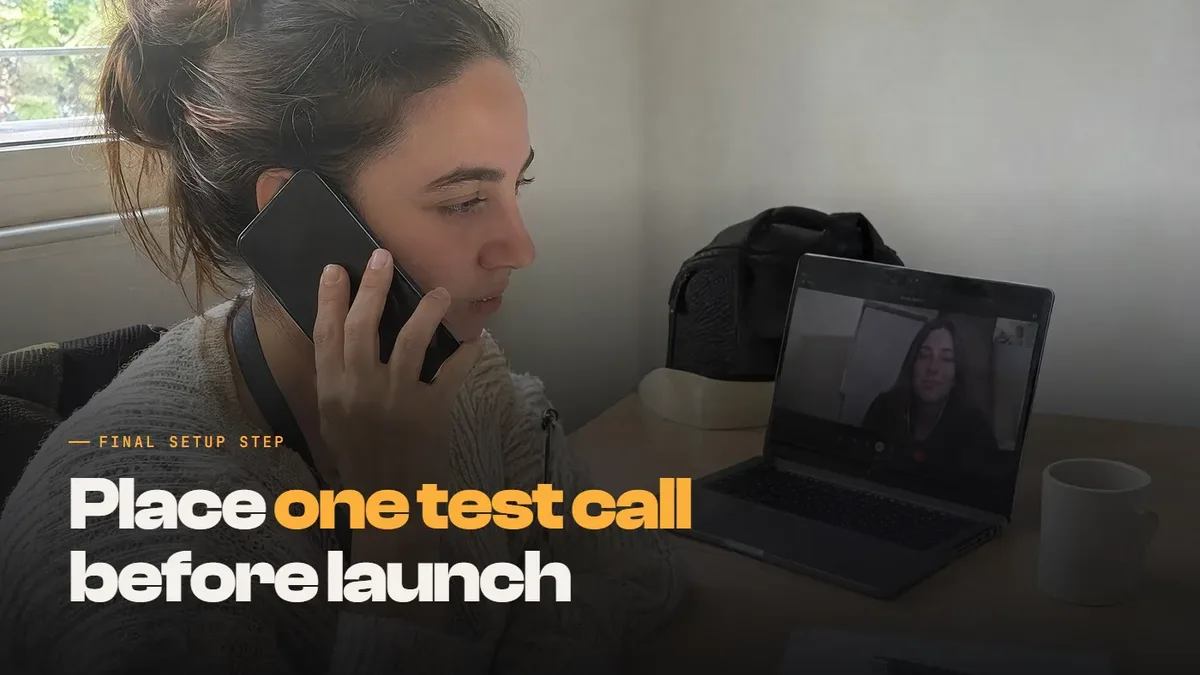
Turn on live transcription, then place a test call from your own phone. Check that the AI recognises you, replies accurately and passes a clean transcript to a rep.
Note the word "prepared", because most of these steps depend on decisions your team makes before anyone logs in.
The conditions behind the under-an-hour claim
Salesforce says the under-an-hour figure assumes a clear scope, organised records and a team ready to make decisions quickly. If your help content needs deep cleanup, or your escalation policies aren't written down, plan for extra prep time. The software handles the plumbing, according to Salesforce, while your business rules still set the direction.
AI agents aren't the slow part any more
You'll spend the time agreeing how the AI should communicate, which records it can read and when escalating to a human is appropriate. Data privacy belongs on that list too, since AI systems grounded in customer records will read personal information.
Decide who is responsible for signing off each of those choices. Then keep human oversight on what the AI tells customers, and review it closely during the first weeks.
Headless setup for technical teams
Salesforce adds a tip for teams that want to pick up the pace. Its advice is to set up the contact center with headless skills. Headless means you configure the platform with plain-language prompts instead of clicking through setup menus or reading pages of documentation.
With the new headless skills and developer tools, Salesforce says technical teams will be guided to automate and script the entire setup. They can also version and access-control it, which the company says saves time and keeps configurations error-free. The useful part for your tech team is that automation makes the setup repeatable, so it can be reviewed and moved from testing to production. That solves the third problem on the old list, where rules were locked inside screens.
The customer experience after launch
Speed is the headline, but Salesforce argues the lasting value comes after launch. In an AI contact center that runs inside the CRM, there's less to maintain. Salesforce says the maintenance tax of sync errors and fragile links between vendors goes away.
Technology upgrades land on every channel simultaneously. A new rule reaches reps and the AI at the same moment. That consistency helps the customer experience because reps and the AI follow the same rules.
Salesforce also says an agentic-first platform lets you offer round-the-clock support across regions without headcount rising at the same rate. That's a claim about efficiency and cost. Test it against your own volumes and capacity before you plan around it.
Where this leaves customer service teams in the UAE
The post doesn't mention the UAE or regional availability. Start by checking what your own Salesforce account can switch on. In Dubai, the news matters most to three kinds of business.
Companies already running sales or service on Salesforce, since the features described sit inside the platform they use.
Service teams that juggle separate tools for phone, chat and email, with rules and reports kept in each one.
Businesses weighing AI agents for their service desk that want to know what a realistic first setup involves.
The fact that the post doesn't mention Arabic proves nothing either way, so ask before you plan around live translation. It lists translation for text, messaging and email and doesn't mention voice, so confirm what works on calls too. Channels need the same check, especially if your customers prefer a messaging app the post doesn't name. For bilingual teams, test the handoff between AI and human agents with real scenarios in Arabic as well as English.
What Dubai customer support teams should do now
You don't need to pick an AI platform to get ready. Most of the prep work is the same whichever system you choose.
Audit your help articles and customer records, because an AI agent can only be as accurate as the source it reads. If your help content is scattered across files and inboxes, the first job is an AI knowledge base.
The natural place to start is one common task, such as rebooking. List the internal systems the AI must read or update to finish the task. If most of your customer support runs through chat, a sensible first pilot is one built on AI chatbots.
Write your handoff rules before you build anything, including who takes over when the AI reaches the edge of its scope.
Ask your vendor or partner to confirm Arabic support and the channels you need, in writing, before you set a launch date.
Choose the numbers you'll watch, such as first-contact resolution, handling time and how often the AI agent has to escalate to a human. Measure them before launch too, so you can see the real impact on customer satisfaction.
Plan training for frontline reps, since their work shifts towards complex cases and checking the tasks the AI completed. Use their feedback to adapt the AI's rules.
For help with the strategy behind that first use case and getting your content ready, talk to our AI agency in Dubai.
We hold the AI in our own marketing work to the same rule of human oversight. The Adnika Dashboard: one live view of a client's ads, analytics and CRM data, with AI recommendations reviewed by the strategist. A client planning an AI rollout with us sees that rule in practice: the AI suggests while a strategist reviews.
The headline figure will get the attention, but the conditions behind it decide your timeline. Get the content and the handoff rules right first, and the platform work is far more likely to be the quick part.