Free template
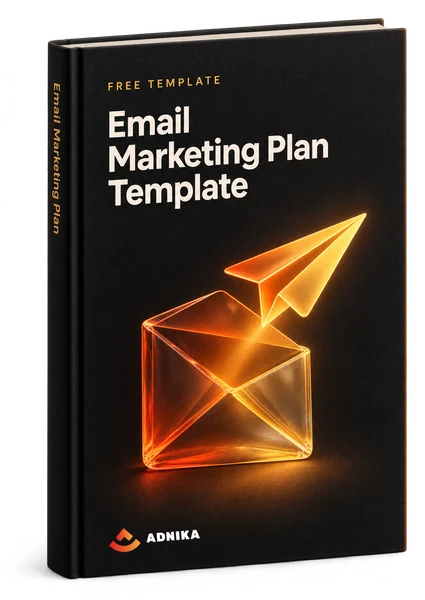
Free email marketing plan template that tracks every campaign
This email marketing plan template is a free Excel planner for marketers and small teams who send regular email campaigns. Each send gets a row for its owner, lists and results, and the sheet works out the rates.
- Plan every send
Topic, owner, subject and draft link, plus a status from Not Started to Sent.
- Decide who gets it
Name each email's send list, and the lists it skips (unengaged leads, say).
- Rates worked out for you
Type in the counts, and formulas return deliverability, open rate and click-through rate.
- A/B tests on record
Note what each email tested and which version won.
Get the template
Your template is ready
Download the ZIP and open the Excel file inside. Save a clean copy before you add your first send.
Download Email Marketing Plan TemplateA copy is on its way to your inbox too.
What's inside
What's inside the email marketing plan template
You get one Excel workbook with a single planning sheet: an email campaign planning template with the results bolted on. Three sections run left to right: planning, results, A/B tests. A How to Use tab sits in front.
Ten send rows are ready, each with a send date, plus a Total row. Need more? Copy a row down.
Email planning
Email Topic, Owner, Status, Subject Line, Email Link, Send List and Suppression List(s), meaning the people you leave out on purpose. Status is a drop-down (Not Started, In Progress, Ready to Test, Scheduled, Sent), so team members can see where each email stands.
Results tracking
Total emails sent, delivered and opened, total clicks (unique people, not every click) and Leads Generated: new contacts who filled in your landing page form. Copy the counts in once they settle.
Rates the sheet works out
Deliverability is delivered over sent (the file's benchmark is above 95%), and open rate is opened over delivered. Click-through rate is the odd one: it divides clicks by opens, which most tools call click-to-open rate (CTOR), so compare it with care.
A/B test planning and results
What each email tested and which version won. Start with subject lines, then sender name, send time or the call to action. Three months of these notes teach you more than any industry average.
How to use it
How to use this email marketing planning template
Use this template left to right, in the order the work happens. Fill in the planning columns first, because the list you choose changes the copy.
Give every email a row early
Add the row while the email campaign is still an idea: topic, owner, send list, suppression lists and Status on Not Started. Choose the list before creating an email, because a welcome email and an offer for past buyers need different words.
- Pick the list first
- One owner per email
Log the numbers after each send
Two or three days after sending the emails, copy sent, delivered, opened and unique clicks from your email service provider (the tool that sends them) into the row, plus any leads. The rates fill themselves in, so you track your email results without extra maths.
- Let the numbers settle
- Note the A/B winner
Review the month, then plan the next
Once a month, sort by send date for a calendar view and compare campaign performance. Sliding deliverability is a list problem. A weak click-through rate? Usually the email content or the offer. Leave with one actionable change before your next email goes out.
- Compare like with like
- Change one thing at a time
Planning guide
Planning your email marketing around the template
The sheet tracks the sends; the campaign planning around it is yours. Here's how we'd do it.
Email marketing strategy template: the page above the sheet
Write one page before row one, and make every campaign point back to it: marketing goals with numbers, the target audience and its segments, email types, a cadence you can keep and the metric that decides success. The file has no tab for this, so add one. B2B plans tend to send less and live on leads; B2C plans send more and track revenue per email. A team of one can skip the Owner column. A team of five can't.
Email metrics and formulas that beat open rates
Plan around clicks and conversions, because open rates overstate reality. Apple's Mail Privacy Protection (iOS 15, 2021) loads emails on the reader's behalf, so plenty of recorded opens were never read. Add a click rate column (unique clicks divided by delivered), plus conversions, unsubscribes and spam complaints. HubSpot's 2026 State of Marketing report found about 8.4% of marketers name open and click-through rates as their most important email metrics.
Audience segments and suppression lists
Segment your entire email list by where people are and what they do. Lifecycle stage (subscriber, lead, customer) is the first cut; engagement, say anyone who clicked in the last 90 days, is the second. Unsubscribes and hard bounces sit out every send. HubSpot's 2026 State of Marketing report found 93% of marketers say personalisation improves leads or purchases, and segments are where it starts.
Email marketing calendar: cadence, time zones and key dates
Sort the sheet by send date and it doubles as your email marketing schedule. Pick a consistent sending cadence you can hold all year, then lay each campaign over it. Schedule by the reader's clock: the UAE runs on UTC+4 with a Saturday-Sunday weekend (since 2022), while Saudi Arabia is UTC+3 and off on Friday and Saturday. Ramadan and Eid move about 11 days earlier each year, so recheck them annually, along with Black Friday, Black Week and Midsommar.
Read moreEmail marketing strategy example: one month, filled in
Say a B2B training company has 5,000 contacts and plans 4 March sends: 2 newsletters, a webinar invitation and a reminder to anyone who clicked without registering. In this example the first newsletter is delivered to 4,900 (98% deliverability), gets 1,960 opens (40%, flattered by privacy features) and 196 clicks: 10% of opens, 4% of delivered. It brings in 12 leads. If you watch one metric month to month, make it the 4%.
Consent and deliverability checklist
Email only people who agreed to hear from you, and record when and how they agreed. GDPR in the EU (Sweden included) and the UAE's data protection law, the PDPL, both expect consent you can show (general guidance, not legal advice). Before you send emails at volume, set up SPF, DKIM and DMARC, DNS records that prove mail comes from your domain, plus one-click unsubscribe. Gmail and Yahoo have required both from bulk senders since 2024.
Common mistakes, and what a good plan looks like
Most plans fail at the same points in the planning process: everyone gets every email, opens decide what worked, one A/B test changes three things and nobody reviews the month. Buying a list does the most harm (the file's own note warns about it). A successful email plan fits on one screen: what's going out, to whom, who owns it and what last month taught you.
Read moreWork with us
Help with your email marketing
Plenty of teams run email from a spreadsheet like this, no agency needed. If the gap is time, data or the workflow behind it, our digital marketing team can help.
- 01
Email marketing
We plan your email marketing campaigns alongside your other marketing strategies, then write, build and report on them.
- 02
Automated flows
Welcome, nurture and win-back flows set up in your marketing automation platform, with clear triggers and exits.
- 03
A/B testing
Tests big enough to trust, one change at a time, with every result written down.
FAQ
Questions about email marketing plans
Quick answers to what people ask before planning a year of email.
Start with one goal and the audience it depends on, then work backwards: split your email list into segments, decide what each segment gets and how often, and give every send a row and an owner. Review monthly.
A goal with a number, your segments, the email types, a calendar of sends with owners, your metrics and how you collect consent. An email calendar on its own is only the when. This template holds the sends and results.
As often as you can send something useful without unsubscribes climbing. For most newsletters that's weekly or fortnightly, plus a campaign for each launch or seasonal date. If unsubscribes or spam complaints rise, slow down.
It's used two ways. Usually it means about 80% of your emails should be useful (for example advice or how-tos) and 20% promotional. It can also mean the Pareto principle: a few subscribers bring most clicks and revenue, so look after them.
Lists vary, but seven cover most plans: welcome, newsletter, promotional, nurture, transactional (receipts and confirmations), re-engagement and announcement emails. Each type of email needs its own goal. A welcome email is judged on first clicks, a re-engagement email on who returns.
There's no official list. The version you'll see most is tease, target, teach, test and track: tease with the subject line, target one segment, teach something useful, test one change at a time, then track what happens after the click.
For most businesses with a list they're allowed to email, yes. HubSpot's 2026 State of Marketing report found email tied with organic social as the second most-used marketing channel (40%), and about 75% of marketers plan to keep or grow their email investment in 2026. And the list is yours.
Yes, it's a free download. Fill in the form here (first name, last name, email, company, phone and country) and the download button appears straight away. It's an Excel workbook; for Sheets, upload it to Google Drive and open it there.
No questions match — try another search.
More free templates
More free templates for your plan
Email works best alongside your other marketing efforts. These free marketing plan templates download the same way.
 Guide
GuideMarketing Automation Guide
A 53-page guide to setting up marketing automation in five steps, with templates for goals, personas, the buyer journey, workflows, lead scoring and A/B tests.Get the free guide Template
Marketing Plan Template
A Word marketing plan template with a SWOT table, target market and personas, a marketing mix section, a budget table and a channel plan.Get the free template Template
Social Media Content Calendar
An Excel calendar for planning posts on X (Twitter), Facebook, LinkedIn, Instagram and Pinterest, with a monthly planner, a posting schedule and a content library.Get the free template Template
Sales Plan Template
A Word sales plan template covering mission, team, target market, tools, positioning, prospecting, action plan, goals and budget.Get the free template
Free download
Plan next month's emails this week
Download the free template, add your next four sends and pick a list for each. Gaps show up fast.