Free guide + 6 templates
Marketing automation strategy in 5 steps: the ultimate guide
This marketing automation strategy guide is a free 53-page PDF with 6 templates, for marketers automating for the first time or fixing flows that never paid off. Further down: workflow examples with timings, and the consent rules the PDF leaves out.
- A goal with a number on it
The goal workbook turns 'more leads' into a specific monthly target you can check.
- 4 personas, 7 journey maps
PowerPoint templates for who you sell to (buyer personas) and the path they take.
- Lead scoring, filled in
Default points, such as +100 for a demo request and -10 after 90 quiet days.
- A workflow planner
One grid from new contact to customer, with a row for the automations you're missing.
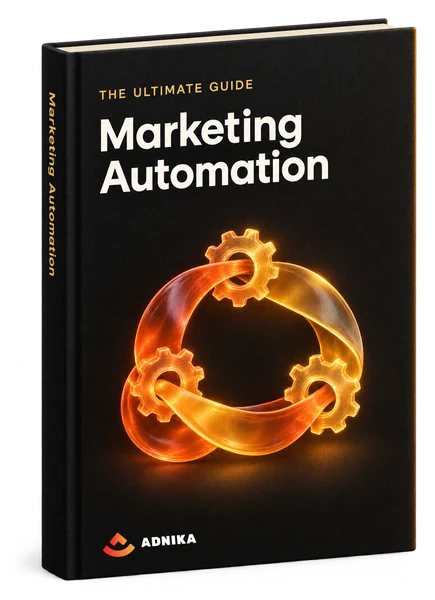
Get the guide and templates
Your guide is ready
The ZIP holds the PDF and 6 templates. Open the PDF first, then the Step 1 goal workbook.
Download Marketing Automation GuideA copy is on its way to your inbox too.
What's inside
What's inside the ultimate marketing automation guide
One ZIP, 7 files: the PDF and 6 templates (4 Excel, 2 PowerPoint), each numbered by its step. Here's what each holds and the decision it helps you make.
The 53-page PDF guide
The 5-step method, goal to testing, with more than a dozen automations along the way (chatbots, email automation, sales alerts, review requests). Its screenshots come from HubSpot. Read it first; it shows what's worth automating.
SMART goal workbook (Excel)
Where 'more leads' becomes a specific, measurable, attainable, relevant and time-bound goal, with a worked example beside yours. The Calculate tab then turns today's visits and conversion rates into traffic, lead and customer targets.
Buyer persona template (PowerPoint)
12 slides, 4 persona types (general, B2B, sales, technology). The prompts dig into goals, objections, real quotes and the message that would land, so you know who each flow is talking to.
7 buyer's journey maps (PowerPoint)
Seven maps, including current state, lead nurturing, churn and a day in your customer's life. You won't need all 7. Fill in one and you'll see where contacts stall, which is where automation earns its keep.
Buyer's journey workflow template (Excel)
A grid with a column per stage, from New through MQL and SQL (marketing- and sales-qualified leads) to Customer and Service. One row lists the automations you don't have yet; treat it as your build list.
Lead scoring template (Excel)
Points for fit (role, company size, -10 for a free webmail address) and behaviour (demo request +100, pricing page +10, careers-page form -100), with 10 points off after 90 quiet days. Agree the threshold with sales first.
A/B testing template (Excel)
An A/B test shows two versions of a landing page or email to two groups. The template pairs a test log with a calculator that says if the difference holds at 90% or 95% confidence. Real win, or luck?
How to use it
How to build a marketing automation strategy in 5 steps
The guide has 5 steps and 6 templates. Go in order, because later files lean on earlier answers.
Set one goal the automation has to move
Write the vague version first ('more leads'), then tighten it until it has a number and a date. The Calculate tab does the maths: its example starts at 1,000 visits a month, growing 5% a month for 6 months. One goal a quarter is plenty.
- Step 1: SMART goal workbook
- Leave with a dated target
Decide who you're nurturing
Finish one persona properly before starting a second, and interview a few real customers if you can (the template suggests it). Their objections become your best nurture emails and steer your content marketing. Selling B2B? You'll probably need the sales or technology persona too.
- Step 2: persona template
- Start with your best customers
Map the journey one stage at a time
On the lead nurturing map, from stranger to closed deal, note what the lead is thinking at each stage and what relevant content reaches them. Wherever the honest answer is 'nothing for 2 weeks', you've found a flow worth building.
- Step 3: journey maps
- Circle every stage with no content
Plan the workflows, then set the scores
Fill one column of the workflow template per stage. Then use the guide's build routine (we wouldn't change it): list the process, draw the flow, check the data exists to trigger it, tell whoever gets the alerts, and only then switch it on.
- Step 4: workflow and lead scoring templates
- Revisit the scores after a month
Test one change at a time
Write your prediction in the A/B log before the test starts, because it stops you explaining the result away later. Change one thing per test and let the calculator judge it. Then look at the whole flow each month and refine your strategy: where do contacts drop out?
- Step 5: A/B testing template
- Review every flow monthly
Go deeper
Marketing automation workflows, examples and best practice
Most marketers believe in personalisation; far fewer build it. HubSpot's 2026 State of Marketing report found 93% of marketers say personalised or segmented experiences bring more leads and purchases, yet only 12.6% of brands use hyper-personalisation such as behaviour-based messages or product recommendations. Here's the build.
How marketing automation works: triggers, conditions, actions
Every automation has 3 parts. A trigger starts it (a form fill, say, or 60 days of silence), conditions sort people into branches, and actions do the work: an email, an alert to sales, a list update or a new lifecycle stage (the label marking someone as a subscriber, lead or customer). The benefits of marketing automation come from that design: fewer repetitive tasks, and messages that fit each point in the customer journey.
Read moreWhat to automate first
Start where a slow reply costs you money: the follow-up after a form fill, and the alert to sales when a lead turns hot. Small teams can live on those two for a quarter; larger ones move sooner into nurture, onboarding, win-back and reporting. Add marketing channels as your customers use them: email marketing first, then SMS or WhatsApp, ad audiences synced from your CRM (customer relationship management system) and tasks for the sales team.
Lead nurturing workflow example
This one starts with a guide download, but the shape suits any gated content (anything behind a form). Trigger: a prospect submits the form. Email 1 goes straight away with the file and a note on what to read first. Email 2, day 3: one related how-to. Email 3, day 8: an offer to talk, with the questions you'd cover. Exit on a booked meeting, an MQL score or an unsubscribe. Success means MQLs within 30 days, not opens.
Lead scoring and the marketing and sales handoff
Lead scoring adds points for fit and behaviour so sales calls the right people first. Take the template's defaults as an example: a contact from organic search (+10) downloads a guide with name, company and phone filled in (+44), clicks an email (+10) and returns 3 times, once to pricing (+15). That's 79. If 75 is your agreed MQL line, sales gets an alert today and a follow-up deadline from your service-level agreement (SLA). In HubSpot's 2026 State of Marketing report, over 27% of marketers named sales and marketing alignment a top challenge, yet only 8% made fixing it a top goal.
Read moreMarketing automation examples for ecommerce
Online shops should start with cart reminders and order confirmation. For an abandoned cart (timings are only an example), wait an hour, send one reminder showing the items, send a second a day later and stop the moment they buy. Confirm every order with its number and tracking, as the guide advises; it's an easy customer experience win. Then a short how-to on arrival, and ask happy customers for a review.
B2B marketing automation, and how B2C differs
B2B teams use marketing automation mostly for lead nurturing through long decisions involving several people, so flows that nurture leads rely on scoring, with content for each stage and an alert when sales should step in. B2C leans on timing and personalisation: the right product recommendation, or a cart reminder that lands while they still care. The guide's Step 1 draws the same line. Selling to both? Give each its own lifecycle stages; one nurture for everybody fits nobody.
Choosing a marketing automation platform, and what it costs
Pick the platform after you've drawn your flows; they tell you what you need. Marketing automation software is usually priced on contacts and plan tier, with seats, SMS, WhatsApp or onboarding often charged on top. Check it connects to your CRM (or includes one), stores consent per contact, reports flow by flow and lets you export everything if you leave. HubSpot, the platform in the guide's screenshots, is one option among many.
Read moreConsent rules: GDPR, the UAE's PDPL and WhatsApp
Automated messages still need permission, and the rules depend on where your contacts live, not just where you're based. In the EU (Sweden included), marketing email to individuals generally needs prior consent, and the GDPR sets the standard: freely given, specific, informed, unambiguous and provable, and as easy to withdraw as to give. Pre-ticked boxes don't count. The UAE's Personal Data Protection Law (Federal Decree-Law No. 45 of 2021) also expects consent you can prove and lets people object to direct marketing; the DIFC and ADGM free zones have their own data protection laws. WhatsApp needs opt-in before your first message, and on its Business Platform, anything sent over 24 hours after a customer's last message must use an approved template. So record the source and date of every opt-in, keep a suppression list of people no flow may contact, and make one unsubscribe stop everything. (General information, not legal advice.)
Marketing automation metrics, and the mistakes to avoid
Measure each flow by the action it exists to cause: MQLs for a nurture, recovered orders for a cart flow. In your analytics, watch drop-out by step, with return on investment (ROI) as the final check. The classic mistakes? Automating a process that fails by hand, so the wrong message goes out faster. Over-sending, which shows up first in your unsubscribe rate. Dirty data. Flows nobody owns.
Marketing automation checklist before you go live
Effective marketing automation implementation starts with dull groundwork, so check this before the first flow goes live. One goal, written down. Contacts in one place, deduplicated, with lifecycle stages set. A consent field on every record. Content for each stage. A drawing of the flow with entry and exit rules. An owner for the alerts. And a test run on your own phone, first email to last.
Need a hand?
Where we can help you automate marketing
Prefer help with the build? This is what we do at Adnika.
- 01
Marketing automation
We map the journey with you and build the first flows, each with its own report.
- 02
Lead scoring
Once your marketing and sales teams agree what a ready lead looks like, we build the scores and alerts in your CRM.
- 03
CRM set-up
Clean contact data and pipelines that match how you sell, so triggers fire on accurate data.
- 04
Retention and lifecycle
Onboarding and win-back flows for the customers you already have.
FAQ
Marketing automation questions, answered
Quick answers to the questions people ask most.
Marketing automation is software that sends messages and runs marketing tasks for you, based on what each contact does. You set the rules once (view pricing twice, and sales gets an alert) and the platform applies them to every contact.
It's the part of your marketing strategy that decides what gets automated and why: one goal, the people you're nurturing, what they need, and the flows that deliver the right message at each stage. Without one, you collect disconnected emails nobody owns.
The simplest is a welcome email sent the moment someone subscribes. A better one: a lead who fits your profile views the pricing page, and the CRM assigns an owner and drops a call task in their queue. Nobody lifts a finger.
It takes routine marketing work off people's hands (follow-ups, reminders, list updates, reports), so your marketing team's time goes on strategy and content. HubSpot's 2026 State of Marketing report found 47% of marketers use automation to make their marketing processes more efficient.
There's no neutral top 5, since many lists are written by vendors who rank themselves first. Names that come up often include HubSpot, Salesforce Marketing Cloud, Mailchimp and Dotdigital. Shortlist by where your contact data lives and trial 2 with a real flow.
It depends on how many contacts you store, how many people need a login, the plan tier and any set-up fee. Some platforms have free entry plans with basic automation; costs climb as the list grows. Budget for content time too.
You need one clean, central record of your contacts, and in practice that's a CRM. Automation triggers on data such as lifecycle stage and last activity, so if contacts are scattered across spreadsheets and inboxes, flows fire at the wrong people.
Usually, yes, if you start small. A welcome series and a follow-up after every enquiry are enough at first, and most entry-level automation tools can run both. Leave lead scoring and complex branching until you've outgrown the basics.
No. Its screenshots and a few tips are HubSpot-specific (Slack alerts, ticket automation), but the method isn't, and the templates are plain Excel and PowerPoint files. Still choosing a platform? Fill them in first; they'll show which features you need.
Yes. The form asks for your name, email, company, phone and country, and if you're a HubSpot client. Submit it and a download link for the ZIP appears right here: the 53-page PDF plus the 6 templates.
No questions match — try another search.
More free templates
More free marketing resources
Planning the marketing campaign your flows will feed? These free templates pair well with the guide.
 Template
Email Marketing Plan Template
An Excel planner for every email you send, with owner, status, subject line and lists, and delivery, open and click rates worked out for you.Get the free template Template
Marketing Plan Template
A Word marketing plan template with a SWOT table, target market and personas, a marketing mix section, a budget table and a channel plan.Get the free template Template
Social Media Content Calendar
An Excel calendar for planning posts on X (Twitter), Facebook, LinkedIn, Instagram and Pinterest, with a monthly planner, a posting schedule and a content library.Get the free template Template
Sales Plan Template
A Word sales plan template covering mission, team, target market, tools, positioning, prospecting, action plan, goals and budget.Get the free template
Free download
Put your strategy to work with the marketing automation guide
Start with Step 1: one goal, before you build a single flow. Your download link appears on this page as soon as you submit.