
Contents29
- Why AI listing copy sounds the same
- What a good listing prompt contains
- Write a facts sheet before the prompt
- The master prompt for a full listing
- AI prompts for real estate listings, part by part
- Headlines
- The opening paragraph
- Features and rooms
- The community section
- The closing line
- Prompts for each property type
- Apartments
- Villas and townhouses
- Off-plan units
- Rentals
- Commercial units
- Prompts for each kind of buyer
- Arabic and English listings
- Prompts for photos and video tours
- Turning one listing into social posts and ads
- Social posts
- Search ads
- Emails
- Editing prompts that fix weak AI copy
- Checks before a listing goes live
- Save your prompts as a team library
- Where prompts stop and a listing system starts
- Mistakes that make AI listings worse
- Start with one listing
Most agents who try ChatGPT for a listing get the same result. The copy reads smoothly, every room is "stunning" and the buyer scrolling the portal skips it in seconds. The tool isn't the problem. The prompt is, because it usually holds a bedroom count and a community name and leaves the model to guess the rest.
A good listing prompt works like a brief you'd hand a copywriter. It names the buyer, lists the facts the copy may use, sets the length and bans the phrases you never want to see. This guide gives you those prompts ready to copy, with the method behind them. Each one works for an apartment in Dubai Marina as well as a villa in Arabian Ranches.
Every prompt below follows one rule. The model writes only from facts you give it, and you check every claim before it reaches a portal.
Why AI listing copy sounds the same
Language models learn from huge numbers of property ads, so their default listing is an average of all of them. Ask for "a description of a two-bedroom apartment in JLT" and you get the words that appear most often in that kind of ad. That's why so many listings open with "nestled" and close with "don't miss this opportunity". Buyers have read those lines so often that their eyes slide past them.
The second problem is worse: when a prompt gives the model too little, it fills the gaps with details that sound true but aren't. It might add a sea view the unit lacks or a gym the tower never had. In a listing, an invented feature wastes a viewing, annoys a buyer and puts your name on a claim you can't back up.
Both problems have the same fix: give the model more to work with and fewer places to guess.
What a good listing prompt contains
A prompt that produces usable copy has five parts, and each one closes a gap the model would otherwise fill on its own. Start with a role, telling the model it's a property copywriter for a Dubai brokerage. That line sets the vocabulary and the tone before it writes a word.
Next comes the buyer, because a listing for an investor leads with different facts than one for a family. Name one buyer per prompt, and write a second prompt for a second buyer. Then add the facts, and tell the model in plain words to use nothing else.
The format follows: a word limit, a paragraph count and the order you want the facts to appear in. Last comes a list of bans, naming the words you never want to see and the pressure lines you won't end on.
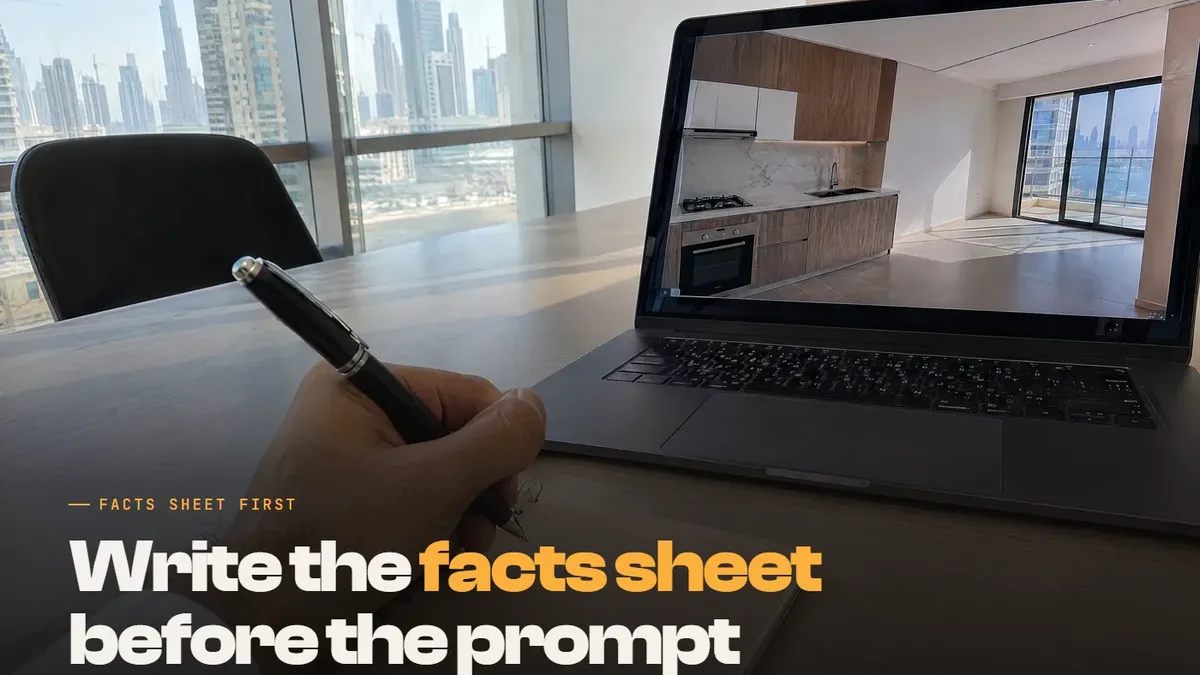
Write a facts sheet before the prompt
Before you open any AI tool, write a facts sheet for the property. It's a plain list of what's true, taken from the floor plan, your viewing notes and what the owner has confirmed. A few minutes on this step saves you from rewriting the listing later. A useful sheet covers these points:
Size and layout, copied from the floor plan rather than from memory.
What you saw at the viewing that a photo can't show, such as morning light in the kitchen.
Upgrades the owner has confirmed, with the year of each one if you know it.
The building's shared facilities and anything residents pay extra to use.
Nearby schools, shops and transport you'd mention to a buyer in person.
Who the property suits in one line, such as a young family or an investor after rental income.
Anything the owner has asked you to leave out of the listing, even if it seems minor.
Mark anything you haven't confirmed with a question mark, and keep it out of the prompt until you have. Keep private details off the sheet as well, leaving out the owner's name and the unit number because some AI tools store what you paste.
The sheet pays off again later, when you reuse it for the social posts and ads so every channel tells the same story.
The master prompt for a full listing
Copy this prompt and paste your facts sheet at the end, then change the buyer line to suit the property.
You are a property copywriter for a Dubai real estate brokerage. Write a listing description for the property in the facts sheet below.
Write for this buyer: a family moving within Dubai who wants space and a short school run. Use only the facts on the sheet, and if a detail isn't there, leave it out rather than guess.
Keep it under two hundred words in short paragraphs, and put the strongest fact in the first sentence. Use plain British English and speak to the reader as "you".
Don't use these words: stunning, nestled, boasts, luxurious, dream home, oasis. Don't end with "don't miss out" or any other pressure line.
Here is the facts sheet to work from.
Each line in that prompt does a job: the role line sets the tone, and the buyer line decides which facts lead. The "only these facts" rule stops invented features, and the banned list keeps the copy away from portal cliches. The length limit matters more than it looks, because models pad when they're given room.
Run the prompt, then read the output against the facts sheet line by line. If the model added anything that isn't on the sheet, delete it and tell the model why in the same chat. The correction stays in that conversation, so later drafts in the same chat tend to follow it.
AI prompts for real estate listings, part by part
A full listing in one go is fine for a quick draft. For copy you'll put your name to, write each part with its own prompt and then join them. Short prompts give you more control, and they make it easier to see which part of the listing is weak.
Headlines
Portal headlines get read before anything else, and most of them waste the space on adjectives.
Write five headline options for this listing, each under twelve words. Lead with the fact a buyer would filter for, such as the view, the layout or the community. Don't use exclamation marks or the word "stunning".
Pick the headline a buyer could check against the photos. "Corner unit with a full Marina view" beats "Breathtaking living in the heart of the Marina" because it's specific and true.
The opening paragraph
The first two sentences decide whether a buyer keeps reading or goes back to the search results.
Write the opening paragraph of this listing in two sentences. Start with the single fact that makes this property different from others in the same building. Then say who it suits and why, using only the facts below.
If the model opens with the community instead of the property, ask again and name the fact you want first.
Features and rooms
Feature lists are where AI copy goes flattest, so ask the model to tie each feature to what it means for the person living there.
Turn these features into short sentences a buyer can picture. For each one, describe how it changes daily life in the home. Keep each sentence under fifteen words and don't repeat an adjective.
A "balcony" on the sheet becomes "a balcony wide enough for a table and two chairs", as long as you measured it at the viewing. That kind of line tells a buyer something the floor plan can't, and it stays true.
The community section
Community copy is where models invent the most, because they fill in distances and names from old training data. Give the model your own list of nearby places, and tell it not to add any others.
Write a short paragraph about the community around this property. Mention only the places in the list below, and describe distances only as they're written there. Don't name any school, mall or metro station that isn't on the list.
This rule stops the model from guessing at distances and place names. Check the list itself too, because a new metro line or mall may be missing from your old notes.
The closing line
Most AI listings end with a pressure line that buyers have learned to ignore. A calm closing line that says what happens next does more work.
Write a closing line that tells the buyer what to do next. Say that viewings are by appointment and keep the tone calm. Don't use urgency phrases or exclamation marks.
Prompts for each property type
The master prompt covers most listings, but each property type needs one or two extra lines. Add these to the end of the prompt for the matching type.
Apartments
For apartments, the floor, the view and the building matter as much as the unit itself.
Lead with the view and the floor if they're on the sheet. Describe the building's shared facilities in one sentence, after the unit itself.
Villas and townhouses
Villa buyers are often families, so the layout and the outdoor space carry the listing.
Describe how the ground floor flows from room to room, as if walking a buyer through it. Give the garden its own short paragraph, with its size only if it's on the sheet.
Off-plan units
Off-plan listings sell a plan and a developer, so an invented detail does more damage here than anywhere else.
Use only the facts from the developer's brochure pasted below. Don't describe finishes, views or completion dates unless they appear in the brochure word for word. Write in the future tense wherever the building isn't finished.
Payment plans need the same care, so copy them from the brochure yourself instead of letting the model restate them.
Rentals
Tenants scan for different facts than buyers do, so a rental prompt needs its own order.
Write a rental listing for a tenant who has already filtered by area and size. Lead with whether it's furnished and when it's free to move in. Then cover the layout and the facilities they'll use every day. Keep it under one hundred and twenty words.
Commercial units
Office and retail buyers want facts about size and access, so leave lifestyle language out.
Write for a business owner choosing a space. Lead with size, layout and access, then parking and the condition of the fit-out. Keep the tone factual and leave out lifestyle words.
Prompts for each kind of buyer
The same property reads differently to an investor and to a family. Change the buyer line in the master prompt and the whole listing shifts with it.
For an investor, ask the model to lead with what drives rental demand: the location, the layout and the state of the building. Tell it not to estimate yields or returns, because those figures need your own numbers and your own name behind them.
For a family, put the school run, the space and the outdoor areas first. For a first-time buyer, ask for plain words and a short explanation of anything technical, such as service charges. For buyers abroad, ask the model to explain the community as if the reader has never been to Dubai.
Rewrite this listing for a buyer who lives abroad and hasn't visited the area. Explain where the community sits in relation to places they'll know, such as the airport and Downtown Dubai. Keep every fact exactly as it is on the sheet.
Write one version per buyer and run each in a separate ad. The version that brings the most enquiries from each group tells you how to lead next time.
Arabic and English listings
Plenty of buyers in Dubai search in Arabic, and a translated English listing rarely reads well to them. Ask the model to write the Arabic version from the facts sheet instead of translating the English copy word for word.
Write an Arabic listing for this property in Modern Standard Arabic, using the facts sheet below. Write it as an Arabic copywriter would, with natural phrasing for a Gulf buyer. Don't translate from the English listing, even where it would be quicker.
Then have a native Arabic speaker read it before it goes live. Models handle Arabic well enough for a draft, but they still slip on property terms and local names.
Prompts for photos and video tours
Buyers look at the photos first, and the words around them still shape what they notice. Alt text describes each photo for buyers who use screen readers, and search engines read it on your own site.
Write alt text for each photo in this listing, one line per photo and under fifteen words each. Describe what the photo shows in plain words. Don't use adjectives such as "stunning" or "luxurious".
For a video tour, the prompt needs the order of the rooms as you'll film them.
Write a voiceover script for a sixty-second video tour of this property. Follow the room order below and give each room two short sentences. End with one line on how to book a viewing.
Read the script aloud before you record it. Lines that look fine on screen are often hard to say, and a quick edit saves a second take.
Turning one listing into social posts and ads
Once the listing is right, the facts sheet becomes the source for everything else you publish about the property. Each channel needs its own prompt, because a portal description, a social caption and an ad headline do different jobs.
Social posts
Turn this listing into an Instagram caption of three short paragraphs. Open with the one detail that would stop someone scrolling. End with a question that invites a comment. Use no more than three hashtags, all about the community.
Ask for a carousel as well, with one slide per room and a caption of eight words or fewer for each. If you'd rather hand the whole channel over, see how we handle real estate social media marketing in Dubai.
Search ads
Ad copy has tight limits, so give the model the character counts up front.
Write five Google Ads headlines for this property, each under thirty characters. Then write two descriptions, each under ninety characters. Use only facts from the sheet and include the community name in at least two headlines.
Check every headline against the sheet before it goes into the account. An ad that promises a view the unit doesn't have costs you the click and the buyer's trust. For search campaigns that cover many listings at once, see how we run Google Ads for real estate in Dubai.
Emails
Write a short email to buyers on our list who asked about two-bedroom homes in this community. Give the three strongest facts from the sheet, then one line inviting them to book a viewing. Keep it under one hundred words.
Send it only to people who asked to hear about homes like this one. In a buyer's inbox, relevance counts for more than polish.
Editing prompts that fix weak AI copy
Your first draft won't be your last, and editing prompts often do more than the first prompt did. Use them in the same chat, so the model still has the facts sheet to work from.
To strip cliches, paste your banned list and ask the model to rewrite any sentence that uses one.
Rewrite any sentence in this listing that uses a word from the list below. Keep every fact and keep the length the same.
To cut length, give a hard limit and tell the model what to keep.
Cut this listing to one hundred and twenty words. Keep the opening sentence and every fact a buyer would filter for, and remove adjectives first.
To check facts, turn the model on its own work.
Compare this listing with the facts sheet below. List every claim in the listing that isn't on the sheet, and every fact on the sheet that the listing left out.
The model won't catch everything, so run this check before your own read and never in place of it.
To match your agency's voice, give the model a sample of your own writing.
Here are two listings I wrote myself. Rewrite the new listing in the same voice, keeping my sentence length and word choice.
A sample works better than a description of tone, because "professional but warm" means something different to every model.
Checks before a listing goes live
Run these checks on every AI listing, however good the draft looks.
Every fact in the copy matches the facts sheet, and nothing was added.
Sizes, floors and views match the floor plan and the photos.
The community section names only places from your own list, with distances as you wrote them.
No private detail about the owner or the unit made it into the copy.
The headline makes sense to a buyer who reads nothing else.
A native speaker has read the Arabic version and fixed any odd property terms.
The copy sounds like your agency, and a colleague would put their name to it.
If a listing fails one check, fix it by hand or with an editing prompt, then run all the checks again.
Save your prompts as a team library
Prompts that live in one agent's chat history help one agent. Put the master prompt, the type lines and the buyer lines in a shared document, and date every change.
The main chat tools let you save instructions so you don't paste them each time. ChatGPT has custom GPTs and Claude has projects, and either one can hold your role line, your banned words and your facts sheet template.
Review the library every few months, and when a prompt keeps producing copy you have to fix, rewrite the prompt.
Where prompts stop and a listing system starts
Prompts save time on one listing, but across a large portfolio the gains come from the system around them. That system is a shared facts template, one prompt library and a review step before anything goes live.
You can connect those steps, so a new listing in your CRM creates a draft for an agent to review. Building that workflow is the kind of job we take on as an AI automation agency in Dubai.
After that, measure which listings bring leads and which ones only bring views. A listing that reads well but brings no enquiries needs a different lead fact, a different buyer or a different channel.
For our clients, that tracking sits in one place. The Adnika Dashboard: one live view of a client's ads, analytics and CRM data, with AI recommendations reviewed by the strategist. For a brokerage, it shows which listing ads bring enquiries and which stall, next to the leads each one produced in the CRM. That's how a prompt that sounded right gets replaced by one that brings viewings.
Mistakes that make AI listings worse
The first mistake is asking for a listing without naming a buyer, so the model writes for everyone and the copy lands with no one.
The second is pasting a competitor's listing as an example. You'll get their structure and their cliches, and your copy may end up too close to theirs.
The third is publishing the first draft, because the edit is where a listing becomes yours.
The fourth is using one prompt for every property, when a penthouse and a studio in the same tower need different leads.
The last is forgetting the page the listing sits on. When listings also live on your own website, the page around them needs the same care as the copy. That page is the focus of our work on real estate website design in Dubai.
Start with one listing
Pick one live listing that isn't getting enquiries and rebuild it with this method. Write the facts sheet, run the master prompt with a clear buyer, then edit and check the draft. Compare the enquiries over the following weeks before you roll the method out to the rest of the team.
The prompts here are a starting point, so change the buyer lines and the banned words until they match how your agency talks. If you'd like help putting this into your listing process, talk to the team at our real estate digital marketing agency in Dubai.