Contents10
- How an AI video generator turns a prompt into a bill
- Adobe Firefly: the all-rounder for existing Adobe users
- Google Veo: top visual quality at the highest cost
- Runway: the most control over each shot
- Kling: strong results for less
- Hailuo: quick, cheap drafts
- What this means for a Dubai business
- What to do next with AI video
- Where people still make the difference
- Measure results, not the demo
AI video creation has matured faster than most marketers expected. Not long ago, people laughed at clumsy AI clips of a celebrity eating spaghetti. Now you can type a sentence and get back a commercial, an animated explainer or a short film. That progress has made a simple question much harder to answer: what will it cost you?
A new feature from Creative Bloq ranks five AI video generators you can use today and compares what each one costs to run. Its ranking wasn't based on looks alone, since it also weighs value, flexibility and how useful each tool is to professionals. The main warning is about price: the subscription fee is often only a fraction of what you end up paying.
Most of these platforms run on credits, and many charge extra for premium models. Others cap the length and resolution of each video, which can push your spend up quickly once a team starts testing.
How an AI video generator turns a prompt into a bill
An AI video generator works much like an AI image generator. You write a text prompt or upload a reference image, and the AI model returns a short video. Text-to-video tools turn text into a moving scene, which suits concept work and quick ideas. Image-to-video turns still images into videos, so a product photo can become a dynamic video for social posts.
Vendor demos promise stunning AI videos from a single text or image prompt, but the bill depends on how many takes you need. Every generation request spends credits, and a longer or higher-resolution shot spends them faster. That's why two plans with a similar monthly fee can give you different amounts of usable footage. Credits aren't unlimited and retakes count, so the real unit to budget for is the take you keep.
Adobe Firefly: the all-rounder for existing Adobe users
The feature puts Adobe Firefly first overall, mainly because of the ecosystem around it. Firefly works inside Premiere and the wider Creative Cloud, so AI shots slot into an existing editing workflow. It also gives you access to third-party models, with Google Veo, Kling, Runway and Luma AI's Ray built in. That makes it the most versatile of the five.
The review praises strong prompt adherence and output that looks polished and cinematic. At this year's Adobe Max, Adobe expanded the Firefly Video editor so you can combine clips with images and sound effects. Projects from Firefly Boards, Adobe's shared brainstorming space, now transfer straight into that editor. For designers who already make AI-generated images in Adobe's apps, that keeps more of the job in one place.
There's also an AI agent that makes the software more conversational to use. The native Firefly Video Models are meant to be safer for commercial use, too. They were trained on material Adobe has the rights to use, rather than on scraped copyrighted video.
On cost, Firefly gives the most value to teams that already pay for Creative Cloud. Adobe's Standard plan includes enough credits for about twenty 1080p clips of five seconds each. Partner models use credits at their own rates, so check those before you build a workflow around one of them.
Google Veo: top visual quality at the highest cost
If visual quality is your priority, the review says Google's tool has a strong claim to being the most impressive video model around. It handles realistic movement, lighting and camera behaviour well, along with environmental detail. Advertisers and filmmakers use it for premium-looking scenes without a full production budget. It's also the most expensive platform in the comparison.
Developers pay for each generated second through the API, and retakes add up fast. You can also reach it through Google Gemini or inside Adobe Firefly. Gemini has a free tier with a small daily allowance, and the paid Pro and Ultra plans add credits. On Google's Pro plan, videos come at 720p with a watermark, so check the tier before you plan a paid campaign around them.
Google keeps moving on cost as well, as our post on Gemini Omni 1.2 Flash and longer AI video explains.
Runway: the most control over each shot
Runway is one of the most mature AI video platforms, and its strength is control rather than pure realism. It offers advanced camera controls and editing tools for professionals who want more than a simple generate button. You can isolate a subject and remove the background, grade colour, adjust depth of field or make a slow motion version. Inpainting lets you take unwanted objects out of a shot.
Its credit system rewards efficient users but gets costly during experiments. By Runway's own figures, the Standard plan covers less than a minute of Gen-4.5 video. A video creator making several social videos every week will likely need the Pro plan or higher.
Kling: strong results for less
This Chinese platform has shaken up the market by undercutting many Western rivals on price. It still produces impressive results, and lifelike human movement and character animation are among its strengths. The review says it often gives social creators and small businesses the right balance of quality and cost. Per video, it works out cheaper than Google's and Runway's tools, though higher-quality generations use credits faster.
Hailuo: quick, cheap drafts
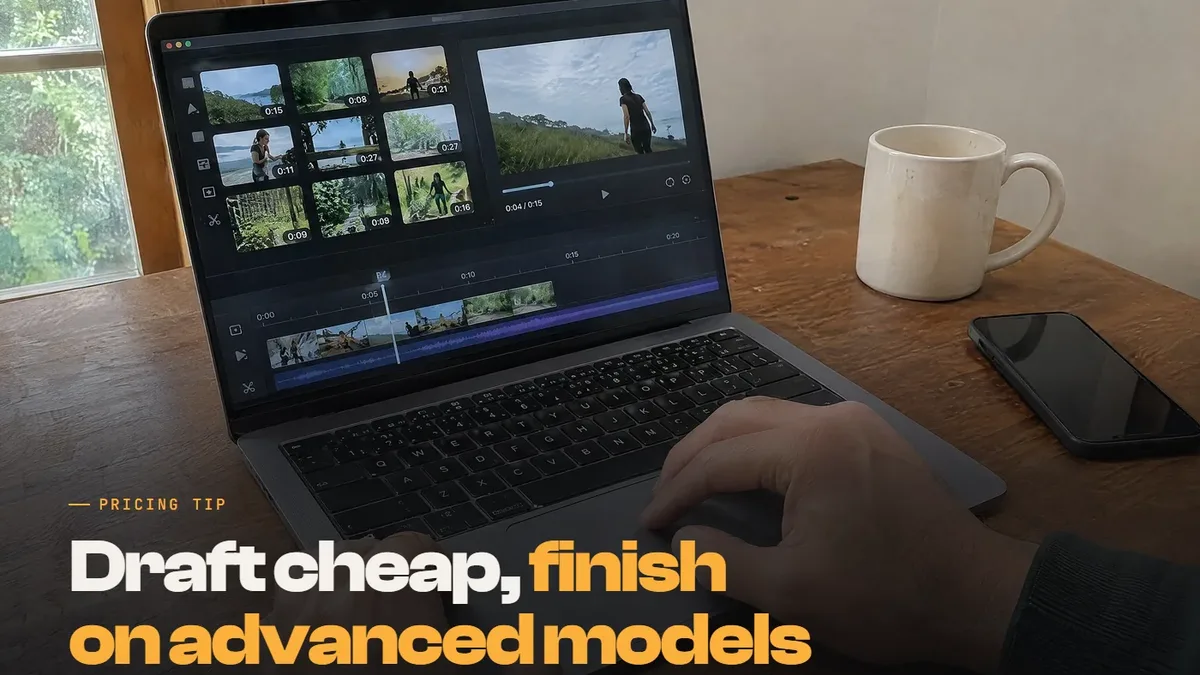
Not every project needs blockbuster-quality visuals, and that's where Hailuo fits. It's built for rapid iteration, so you can try creative ideas quickly and cheaply. Agencies often use it for concept development, the review notes, then move final production to more advanced AI models.
What this means for a Dubai business
For marketers in Dubai and across the UAE, the change is practical. AI video is now good enough for many social clips and vertical ads, so picking a tool has become a budget decision. The types of videos you make most should drive that choice, more than the tool with the flashiest demo. If you're creating videos for social media every week around trending formats, cheap drafts you can refine matter most.
A property launch film is different, because it needs footage that holds up on a big screen and clear rights for commercial use. Customer service explainers and onboarding animations sit somewhere in between. Most tools let you download or share a result instantly, but a raw generation still needs an edit before it goes live.
What to do next with AI video
Before you commit to a plan, run a small test of your own.
Pick one real brief, such as a product ad, and run the same prompt through two or three tools.
Count the credits each finished video used, retakes included, and work out a cost per video you'd publish.
Check the resolution and any watermark on each tier before you commit to one.
Read the usage terms for each model, especially third-party models running inside another platform.
Keep a human edit at the end, because AI output still needs a story, music and a cut that fits your style.
Where people still make the difference
Cheaper drafts don't replace storytelling, and a polished shot can still say nothing about your product. If you'd rather not test five platforms yourself, our AI video production service in Dubai builds videos around your brief and edits them into finished ads. For work that has to be filmed in real life, from brand films to event coverage, talk to our video production company in Dubai. If you're weighing how much of your content to automate, our look at AI content vs human content sets out the trade-offs.
Measure results, not the demo
Whichever tool you choose, judge it by results once the videos run, not by the demo reel. The Adnika Dashboard: one live view of a client's ads, analytics and CRM data, with AI recommendations reviewed by the strategist. For a client running AI video ads, that puts each ad's results next to its spend. You can then see which clips earn their credits and make more like them.