One record
Listings, contracts and payments come from Odoo and are cached for a few minutes, so the website shows what the ERP holds.
Richmind Holding's property business keeps its units, contracts and payments in Odoo, and wanted its WordPress website to work from the same records.

We built Richmind Odoo Connect, a WordPress and Elementor plugin that shows Odoo's property listings on a website and gives buyers and brokers their own portals. It was built for Richmind Holding in 2026 and connects to Odoo 16, 17 or 18 with an API key.
Richmind Holding
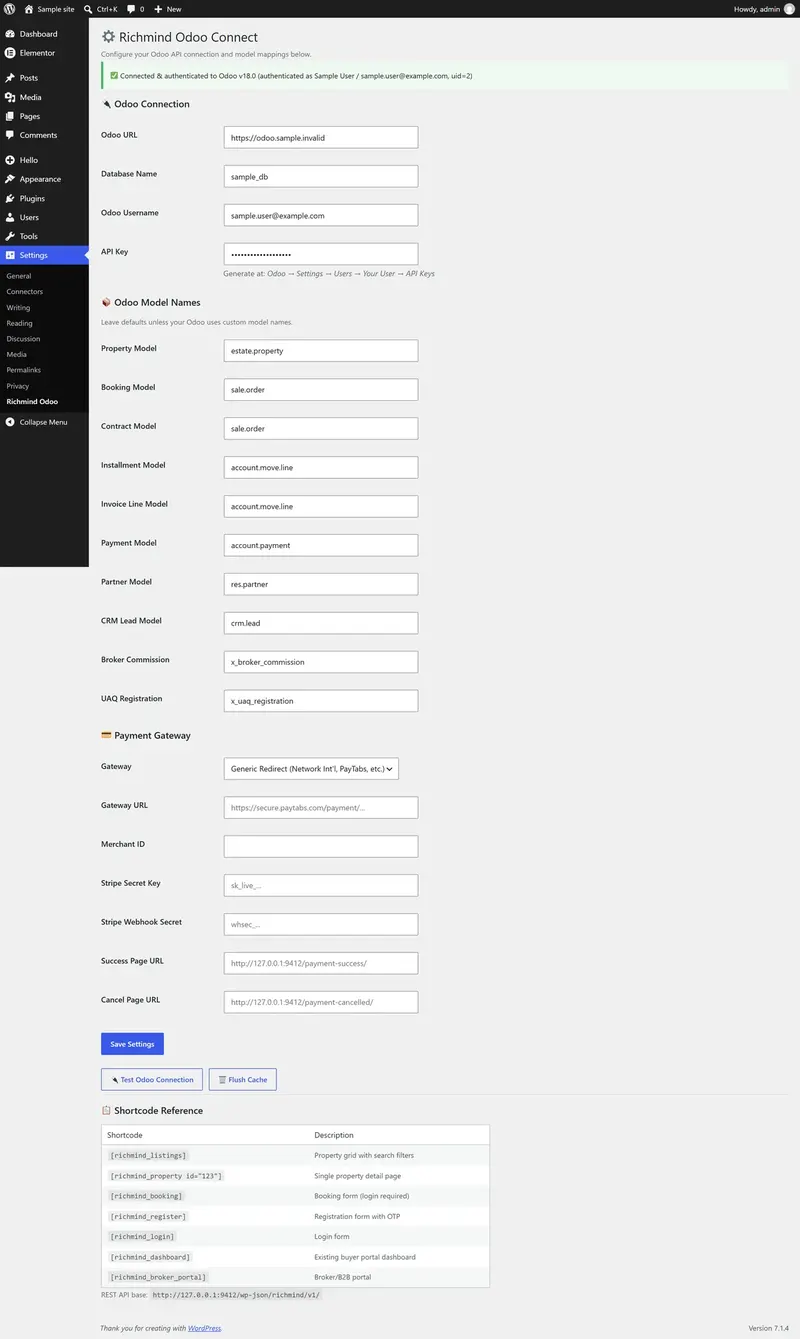


Scene 01 / Settings
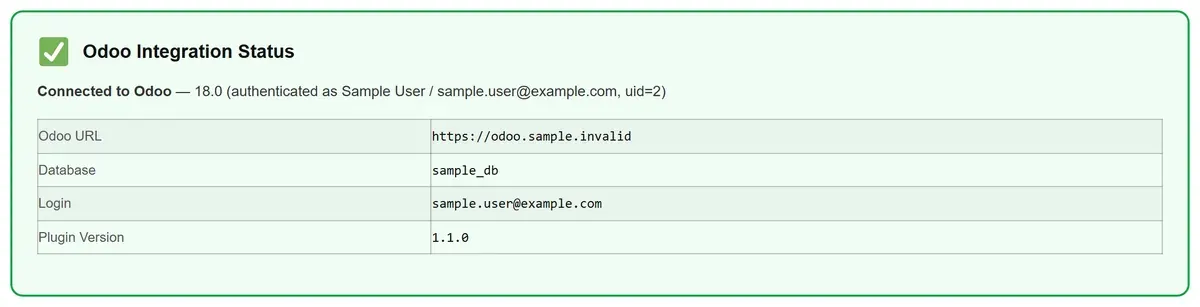
The settings screen takes the Odoo address, database, login and API key, then tests the connection, here against a sample Odoo.
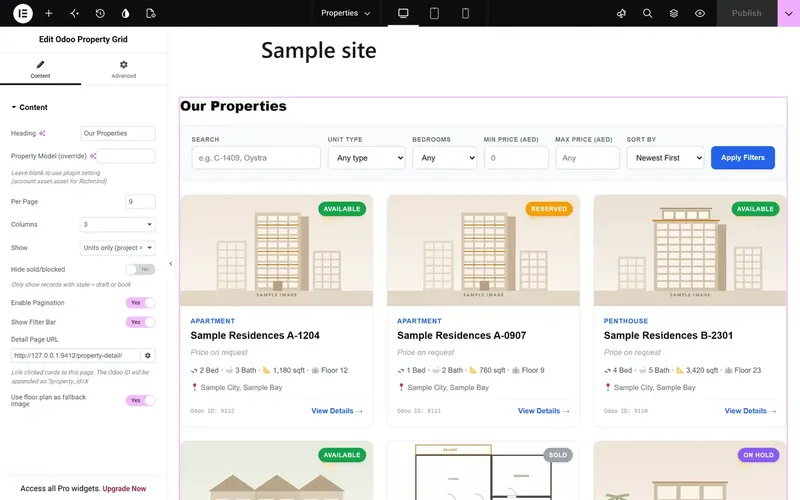
Scene 02 / In Elementor
The plugin adds its own widget group to Elementor, and each widget has its own controls, shown on sample records.
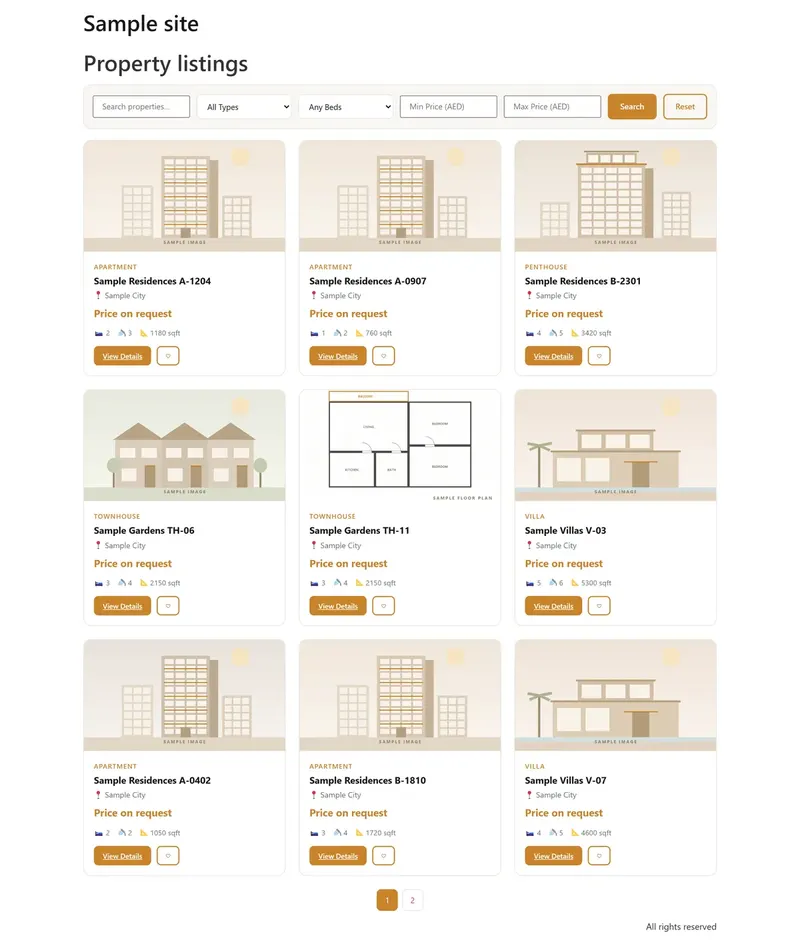

Scene 03 / Listings
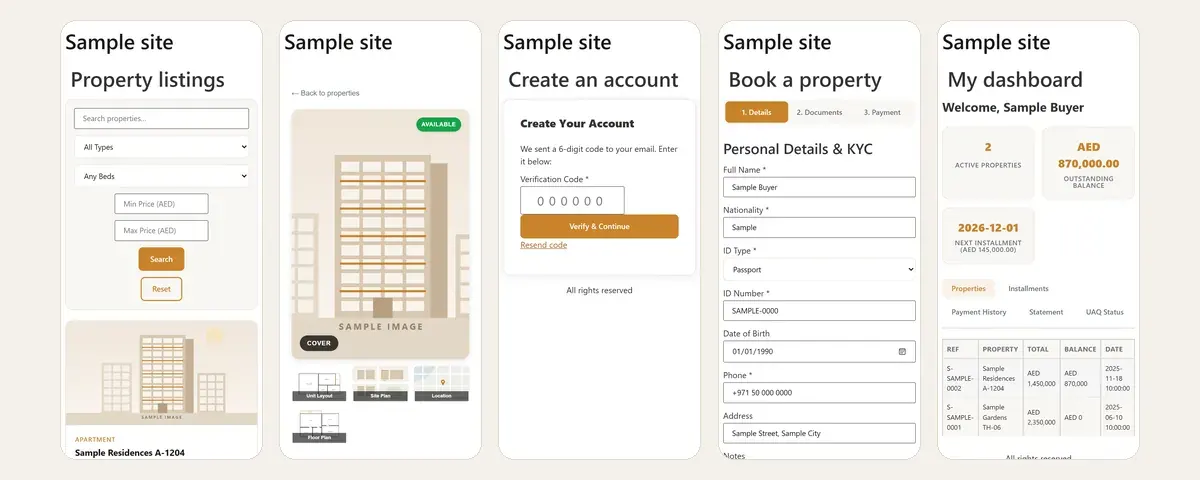
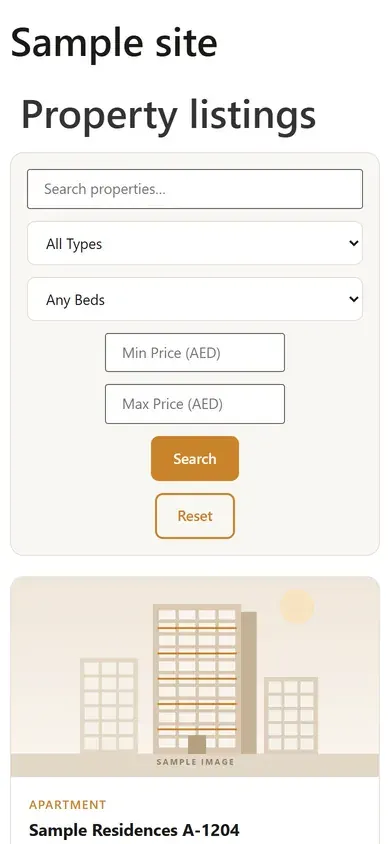
A listing page placed with a shortcode: units from Odoo with search and filters, one column on a phone, on sample records.
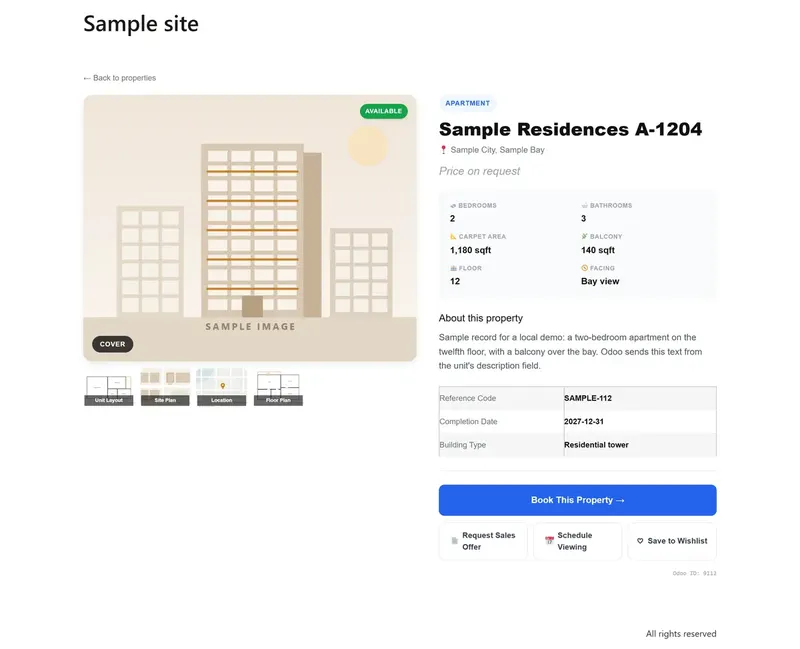

Scene 04 / Property page
Each unit gets a gallery, its details from Odoo and buttons to book, ask for an offer or arrange a viewing, on a sample record.
Scene 05 / Sign-up
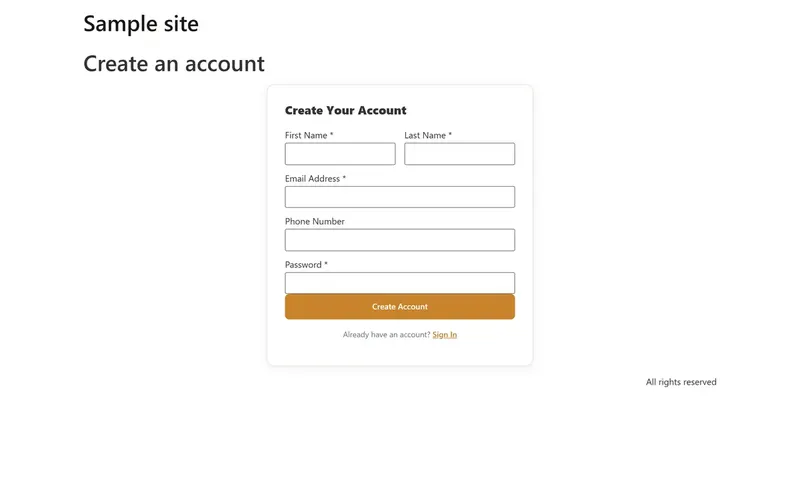
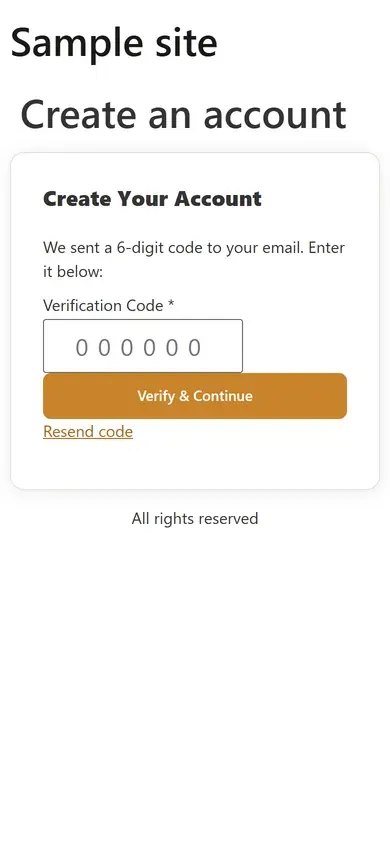
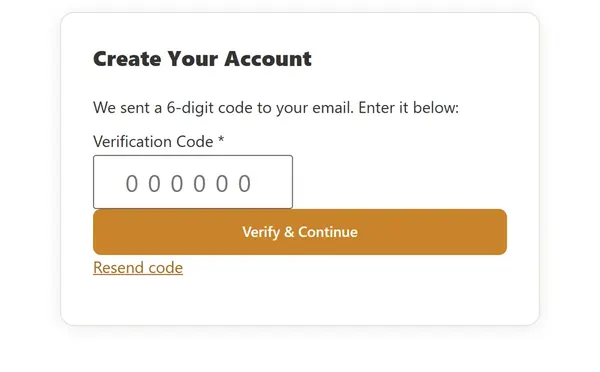
Buyers register with their name, email and phone, then confirm the email with a one-time code.
Scene 06 / Booking
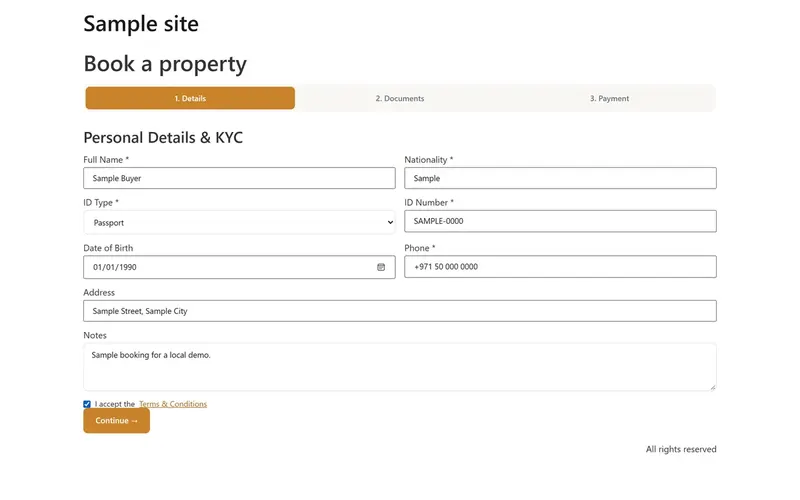
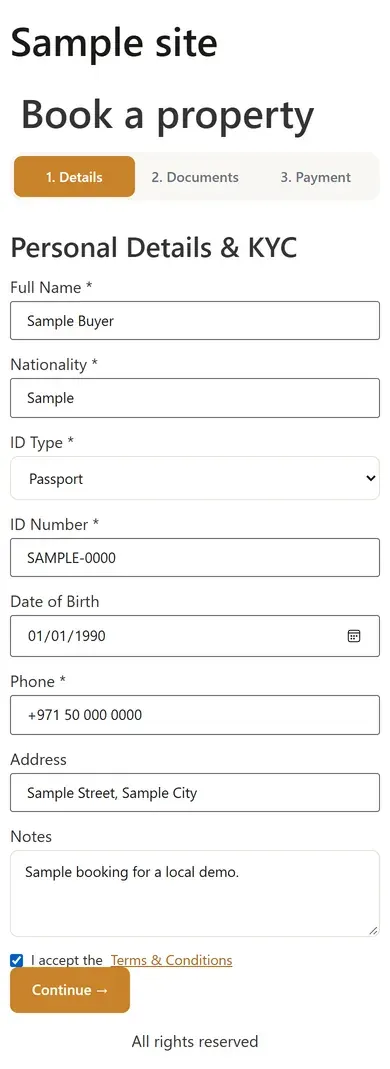
The booking form asks for personal and ID details first, then documents, then payment, filled here with sample values.
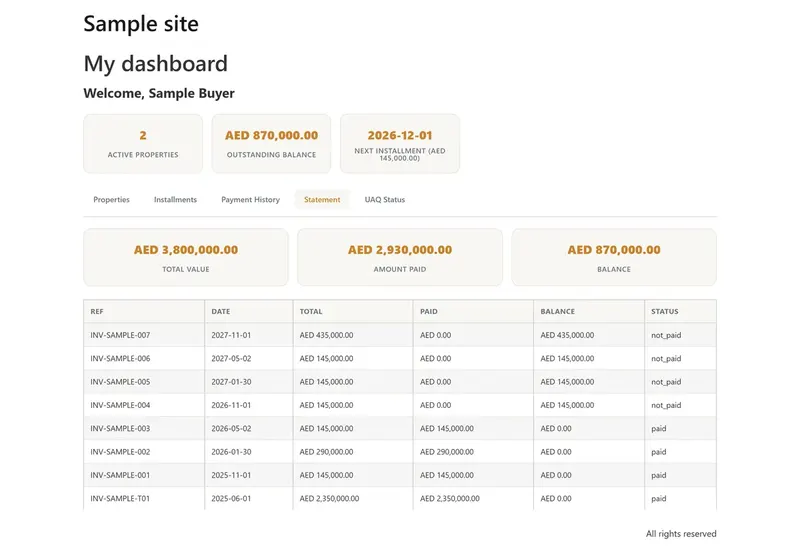
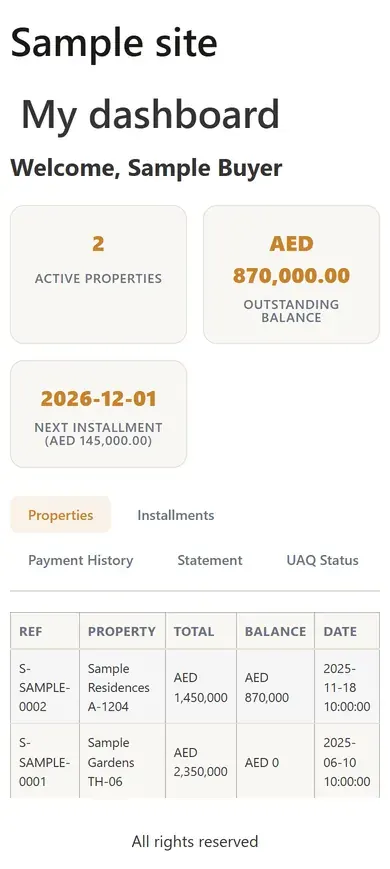
Scene 07 / Buyer dashboard
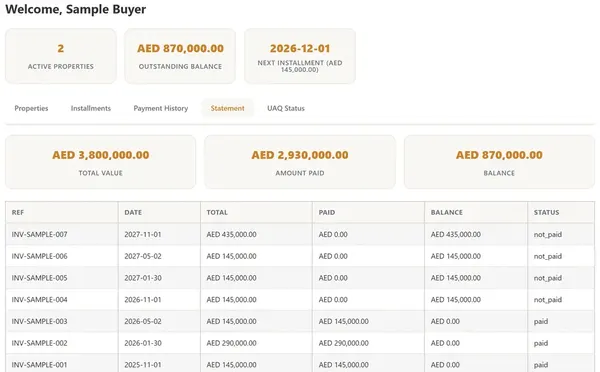
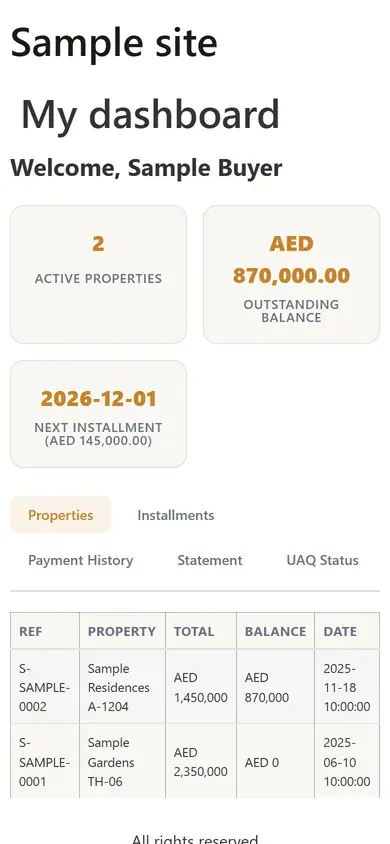
Signed-in buyers see their contracts, instalments, payments and statement of account from Odoo, on sample records.
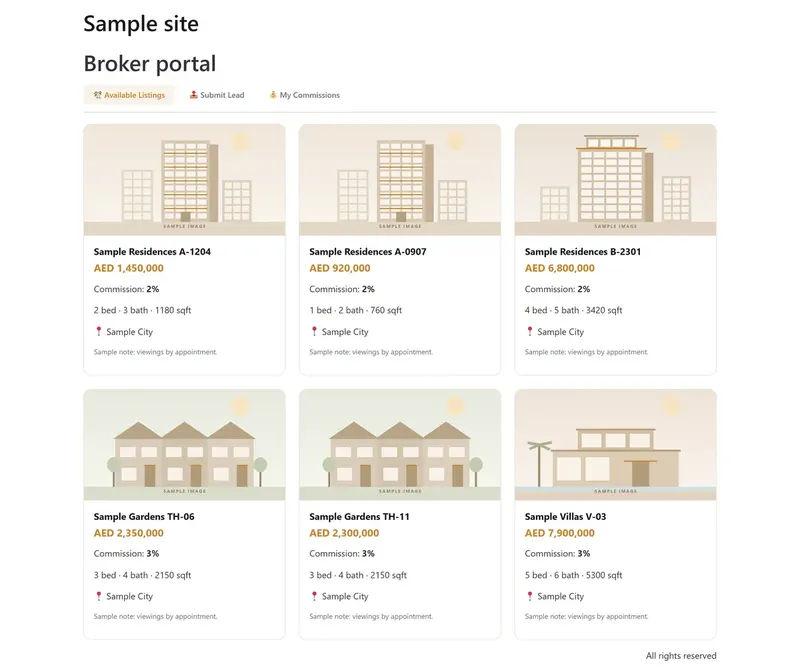

Scene 08 / Broker portal
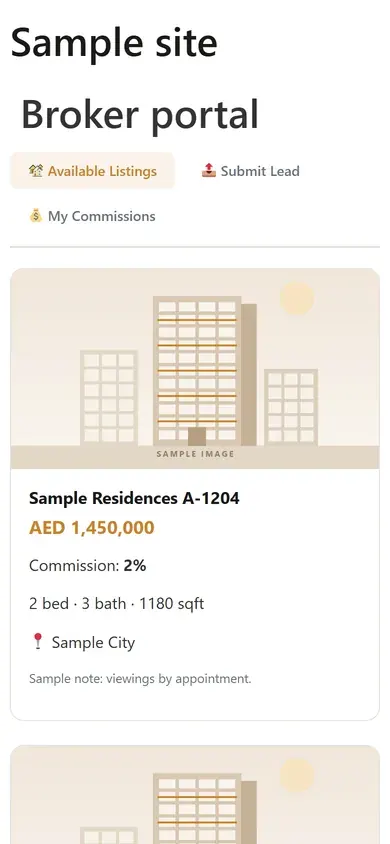
Brokers see available units with their commission rates, send leads to Odoo and follow their commissions, on sample records.
Richmind Holding describes itself as a diversified investment group, with interests from real estate to fintech. Its real estate business develops property in Dubai and keeps its units, buyers, contracts and payments in Odoo. In 2026 it planned a customer platform on its WordPress website, with Odoo staying the record for all of it. We built the plugin to connect the two.
This page covers what the plugin was built to do and how each screen works, shown on sample data.
Its WordPress website had to read from Odoo and write back to it, without keeping a second copy of any record.
New buyers needed to find a unit, register and book. Existing buyers needed their contracts and instalments, and brokers needed stock, leads and commissions.
Units, contracts, bookings, invoices and payments live in Odoo, so the website had to show them as they stand and send new records back.
The company's Odoo keeps units in a customised property model, with its own fields for unit type, areas, floor plans and portal visibility.
The website is laid out in Elementor, so the property screens had to be widgets an editor places and sets up without code.
Buying a unit needs a verified buyer, identity details and documents before any payment is taken.
The plugin talks to Odoo through its external JSON-RPC API with an API key, and works with databases hosted on Odoo.sh too.
The Odoo address, database, login and key are set in WordPress, beside a button that tests the connection. So are the Odoo model behind each kind of record and the payment gateway.
The grid filters units by name, type, bedrooms and price, sorts them and pages through them on the server.
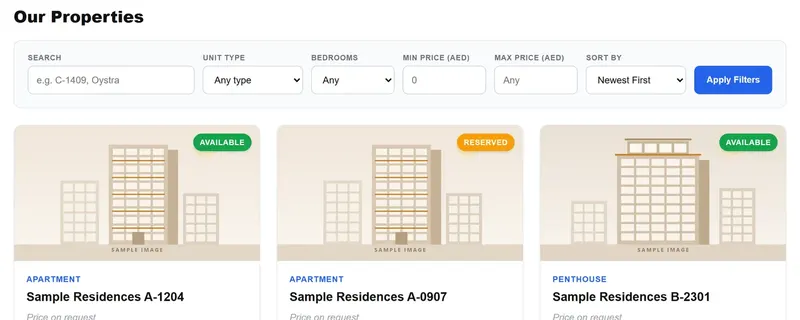
A status widget shows whether Odoo answers, which version it runs and who is signed in, and a counter widget counts any Odoo records.
Buyers confirm their email with a one-time code, then follow their contracts, instalments and payments in their own dashboard.
The listings, unit pages, sign-up and booking forms stack into one column on a phone.
A Richmind Odoo group in the Elementor panel holds the property grid, the property page, a connection check, a record counter and a records list.
Instalments are paid through Stripe Checkout or a redirect gateway, with a signed token, so the plugin checks each payment callback.
Select a page to open its screen.
Why it worked
The plugin keeps no lasting copy of a unit, a contract or a payment. Each screen asks Odoo, and each new buyer or broker lead goes back into it.
Listings, contracts and payments come from Odoo and are cached for a few minutes, so the website shows what the ERP holds.
Fields are mapped to Richmind's own property model, and the settings name the Odoo model behind each kind of record.
The property screens are Elementor widgets with their own controls, so pages are laid out without code.
A connection test and a status widget show at a glance whether Odoo answers and who is signed in.
Client stories
On camera and in writing — swipe through the founders and teams we’ve helped design, build and grow.
In their words
GMC is thrilled to extend our heartfelt appreciation to Adnika! Collaborating with Ehsan and his team has consistently been an absolute delight. Ehsan's dedication and commitment have ensured that German Medical Center remains an exceedingly satisfied and happy client, especially regarding their Hubspot Onboarding, Digital Marketing, Website Development, Content Creation and Social Media Marketing. Adnika is indeed the Best Digital and Growth Marketing Agency in UAE!
Adnika provided us with their Inbound Sales and Marketing solutions through Hubspot. They helped us generate more qualified leads for our sales team, drive website traffic, increase customer engagement, and grow our customer base. Adnika is a reliable partner that has always taken our specific goals and needs seriously.
Adnika has helped us plan, implement and optimize ad campaigns on Facebook and Instagram. Adnika is truly committed to Performance Marketing. They provided us with a fantastic dashboard with detailed KPIs that helped us track the campaigns’ performance in real time. Adnika also gave us helpful and dedicated support during the whole project, and the campaigns turned out to be a great success. We highly recommend working with Adnika's growth experts.
We really enjoyed working with Adnika’s team. Not only are they talented, but they all take the time to understand whom they're working with, what they're trying to accomplish, and how to help the business achieve its goals. The quality of work we've experienced has made a huge difference for us and helped drive new business.
Adnika helped Sea Technology with setting up new digital channels, such as Google Search Ads, to attract more customers and leverage our brand. We are very satisfied with the results and we will continue with the implementation of lead generation, marketing automation, and performance marketing.
Working with the Adnika team has been a real pleasure! Extremely friendly, Ehsan and Elin are always available with prompt replies, valuable insights, patience, a problem-solving attitude, and high knowledge. Super easy to work with them. I highly recommend the Adnika team to help your business!
I am an artist, but I also manage a collective of DJs. In order to promote our services to our clients, we needed Inbound solutions that could attract the right traffic and promote the brand. Adnika built and designed our Inbound processes as well as create and manage campaigns on social media and Google Ads which helped us attract many more customers. I’m very happy!
We've been using Adnika growth marketing solutions only for a few months. They are highly professional, competent, experienced, and creative. Get ready to get to work with this agency. They will come alongside you as a business owner and feel your pain and joy! Get ready to transform your business.
About this project
What clients ask us after reading this case study.
It connects a WordPress website to Odoo. It shows property listings and unit pages from Odoo and signs buyers up with an email code. Buyers get a dashboard of contracts, instalments and payments, and brokers get a portal for stock, leads and commissions.
Odoo 16, 17 and 18, through Odoo's external JSON-RPC API with an API key. It also works with databases hosted on Odoo.sh.
No. We built it for Richmind Holding in 2026, and it was not switched on for the group's live websites. The screens on this page come from a test install with sample records, never from the client's Odoo.
Yes. The plugin lists Elementor as a required plugin, and its property grid, property page and status screens are Elementor widgets. The listings, sign-up, booking and portal screens are shortcodes, so they also work on pages built another way.
Yes. See our CRM integration service, or WordPress development for custom plugins like this one.
No questions match — try another search.
More work
A Dubai brokerage website with live CRM listings, map search and valuation tools.
A homepage film that walks visitors into the group's building as they scroll.
A WordPress site for an interior design and fit-out studio in Al Quoz, Dubai.
A WordPress site for a Dubai real estate developer, built from its own page designs.
A WordPress website for a holding company whose businesses run from real estate to sport.
A WordPress plugin that runs a Dubai brokerage's website on its Goyzer CRM.
Our web design and development service in Dubai.
Next step
A straight read of your website, your Odoo setup and where records are still copied by hand, with the findings written down, whether or not you work with us.